
Product Screenshots to Annotated Teach Stills (Then Optional Motion)
Crop, callout, blur, and number screenshots into teach stills; QA still-first, then promote only the beats that truly need motion.
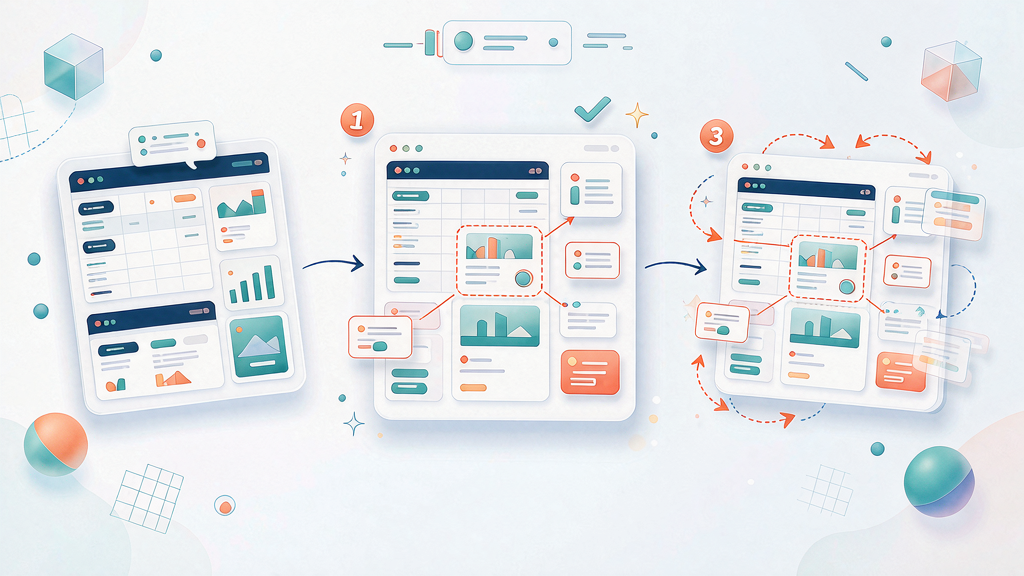
Product Screenshots to Annotated Teach Stills (Then Optional Motion)
Turn raw UI screenshots into clear teach stills before deciding whether motion is worth it. Crop, callout, blur for privacy, number the steps, QA still-first, and only then promote a still into a motion clip when the lesson needs movement.
PMM and support-marketing hybrids explain product flows daily. The failure mode is dumping full-desktop captures into a Reel and hoping zoom-pans will teach.
Still-first pipeline
- Capture (or redraw) the UI state you need
- Crop to the teaching region
- Callout the control that matters
- Blur / replace private data
- Number steps if sequence matters
- Approve annotated stills on the board
- Only then render motion for beats that need it
This is distinct from tip-grid vs full motion and from still frames vs motion per teach beat. Those decide format matrices. Here the source is a raw screenshot that must become a teach still before any matrix applies.
Also pair with approve stills before motion as the governance rule.
Crop, callout, blur, number
| Step | Do | Don’t |
|---|---|---|
| Crop | Isolate the decision UI | Ship full desktop with 12 distractions |
| Callout | One primary highlight per still | Five neon arrows competing |
| Blur / privacy | Mask names, IDs, customer data | Soft blur that still reads PII |
| Number | Step 1–2–3 when order matters | Random badge decoration |
| Redraw | When chrome is too noisy | Fake a competitor’s UI as yours |
Privacy rules mirror support sanitization habits: if a screenshot still fingerprints a customer, redraw (support tickets → public teaches has the mindset; apply it to product marketing stills too).
Still-first QA checklist
Before motion spend:
- Viewer job readable in half a second (first-frame clarity)
- One primary callout
- Safe zones respected for 9:16 (safe zones)
- No PII / private tabs
- Step numbers match the board
- Contrast readable on mobile
- Labels kind and accurate
Non-designers can leave useful notes when the board is annotated clearly (annotate storyboards for feedback).
When to promote a still into motion
Promote when movement is the lesson:
- Drag-and-drop order
- Hover state that reveals the control
- Multi-step transition that a single still cannot sequence honestly
- Progress that before/after alone under-explains
Keep as still when:
- A label + crop already teaches
- Motion would only be cosmetic zoom
- You are still arguing about which UI region matters
Decide B-roll metaphors vs demo UI with your existing B-roll vs demo UI guide after the still is approved—not before.
Worked example: export filter confusion
Raw capture: full app window, sidebar badges, a customer name in the top bar, cursor mid-wander.
Teach still:
- Crop to filter + export controls
- Blur top-bar identity
- Callout filter order
- Number “1 clear filters → 2 export”
- Approve on board
Motion (optional): 1.5s clip only for the filter-clear interaction; export click can stay a still. Do not animate the whole desktop.
Board fields
- Source capture ID (internal)
- Annotated still per beat
- Privacy pass
- Motion? Y/N + why
- Owner approval
Storyboard-first tools (including Scro) fit late: lock annotated stills on the board, then spend motion credits only where flagged. Measure success as fewer “where do I click?” comments—not as how many zooms you shipped.
Anti-patterns
- Ken Burns over a filthy screenshot
- Callout soup
- Motion before still approval
- Using production data “just for internal review” that later goes public
- Promoting every beat to motion by default
Tooling habits that keep stills clean
- Capture at 2x but teach at mobile legibility
- Prefer light theme or consistent product theme across a series
- Keep callout color inside brand locks (brand color/type locks)
- Store annotated masters, not only flattened exports
When UI ships mid-sprint, update stills with the same discipline as mid-campaign board updates (UI mid-campaign updates).
Motion budget after still approval
Give each episode a motion budget (for example, at most two beats). If everything “needs” motion, your stills are under-annotated. Cosmetic zooms burn credits and rarely fix comprehension.
Handoff to editors / AI video
Editors receive: approved still per beat, motion yes/no, max seconds, forbidden pans. AI video pipelines should key from approved stills rather than re-interpreting raw screenshots (still → teach workflows).
Series consistency across stills
Lock crop margins, callout style, and number badges across episodes so binge viewers learn your visual language. Inconsistent annotation systems feel like different products. Reuse the same still template even when motion differs per beat.
One-line operating rule
Annotate and approve stills on the board—motion only for beats that need movement.