
B-Roll vs Demo UI: What to Show in Each Beat of a Teach Reel
Pick demo UI or B-roll per beat with a proof/metaphor/transition/CTA matrix—plus a filled 45s SaaS example so regenerations stay local.
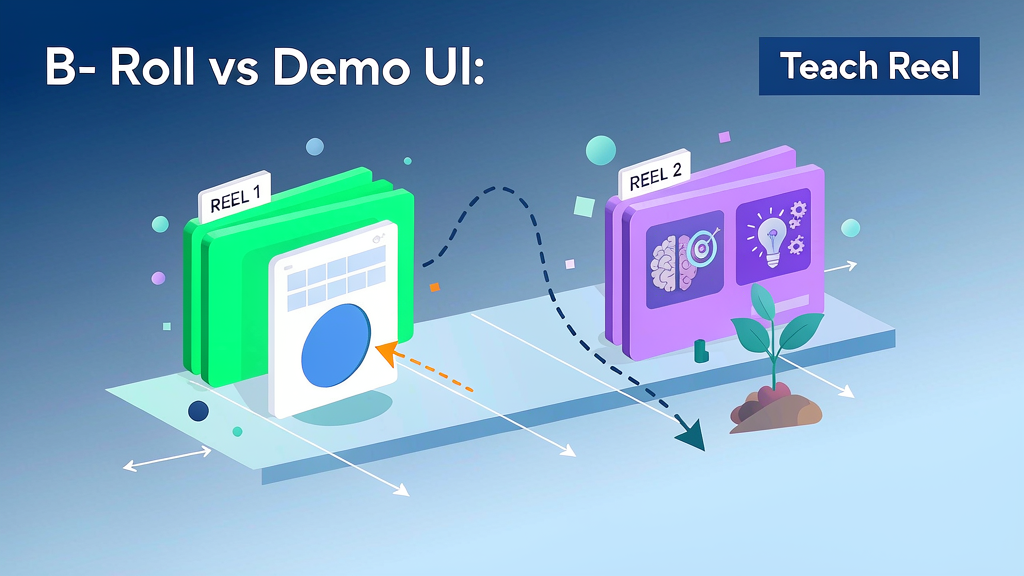
B-Roll vs Demo UI: What to Show in Each Beat of a Teach Reel
Decide whether each beat of a teach Reel needs product UI or supporting B-roll by beat type—proof, metaphor, transition, or CTA—not by "whatever looks nice" or a stock-footage dump.
Most weak explainers fail here: they either screen-record everything (dense, mute-hostile) or decorate with random lifestyle clips that never prove the claim. The fix is a visual-choice matrix tied to the beat's job. Pair it with a scene-by-scene checklist for a 45-second product explainer so every second has a job.
Beat jobs, not shot lists
Before you open a stock library, label each beat with one job:
| Beat job | What the viewer must get | Default visual |
|---|---|---|
| Proof | "I can see the control / state change" | Demo UI (cropped, dated) |
| Metaphor | "I understand the idea without UI literacy" | B-roll / stylized metaphor |
| Transition | "We moved to the next step" | Short motion or cutaway card |
| CTA | "I know the next action" | End card + soft product still |
If a beat tries to do two jobs, split it. Proof-plus-metaphor in the same three seconds usually muddies both.
The visual-choice matrix
Use this matrix when you mark the board:
| Situation | Prefer demo UI | Prefer B-roll / metaphor |
|---|---|---|
| Claim is a specific control or workflow | Yes—show the control cluster | Only as intro framing |
| Claim is a mental model (routing, queues, trust) | After metaphor lands | Lead with metaphor |
| UI is dense or regulated-looking | Zoomed crop only | Soften surrounding beats |
| Viewer may watch muted on mobile | Large labels on UI | Caption-first metaphor still |
| Beat is emotional stakes, not how-to | Rarely | Yes |
| Beat is CTA / next step | Optional product still | Brand-safe end card |
Mark visual type on every beat of the board: UI, B-roll, hybrid, or card. That label is what keeps regenerations local when one frame fails.
When demo UI wins
Demo UI wins when the teach claim is operational:
- "Click New Intent before auto-assign"
- "Export last month's PDF from Billing"
- "Invite with Viewer role, not Admin"
Rules for UI beats:
- Crop to the control cluster—not the whole desktop
- Freeze a UI version date so remakes match
- Prefer before/after states over mouse wandering
- Put the claim in captions even if VO exists (text on screen vs voiceover)
If you are cutting from a long recording, rebuild UI beats instead of stitching—same discipline as cutting a product demo into standalone teach beats.
When B-roll / metaphor wins
B-roll wins when the claim is conceptual or when UI would punish mute viewers:
- "Labels before assignment reduce rework"
- "Think of routing as a post office, not a pile"
- Transition between "problem" and "how"
Good metaphor B-roll is specific: one visual analogy tied to the claim. Bad B-roll is generic: coffee pours, city timelapses, handshakes. If the clip could sell any SaaS, it sells none.
Hybrid beats are allowed: metaphor still for 1–2s, then hard cut to UI proof. Do not overlay metaphor animation on top of tiny UI chrome—that is how trust dies in regulated niches (when stylized looks hurt trust).
Filled 45-second example: inbox intent labeling
| Time | Beat job | Visual type | On-screen |
|---|---|---|---|
| 0–3s | Hook / metaphor | B-roll card | "Tagging everything ≠ knowing intent" |
| 3–8s | Claim | Card + caption | "Label intent before auto-assign" |
| 8–22s | Proof | Demo UI | Cropped rule builder + New Intent |
| 22–32s | Proof | Demo UI before/after | Misroute vs correct route |
| 32–38s | Transition | Card | "One rule. One owner." |
| 38–45s | CTA | End card | "Try the intent template" |
Notice: only ~24 seconds are UI. The rest protects mute comprehension and pacing. Hooks still follow under-3-second SaaS hook rules even when the visual is metaphor.
Marking the board so regenerations stay local
On each frame note:
- Visual type (
UI/B-roll/hybrid/card) - Source (UI freeze date, metaphor brief, or asset ID)
- What must not change if you regenerate (claim text, crop region, brand color)
When a UI frame flickers, regenerate only that beat. When a metaphor feels off-brand, swap B-roll without touching proof. That is the point of storyboard-first (storyboard-first vs generate-then-fix): visual type is a contract, not a vibe.
Also put visual type in scene notes rather than burying it in narration—see what belongs in scene notes vs narration vs style lock.
Anti-patterns
- UI wallpaper: full dashboard behind a voiceover that never points at a control
- Stock soup: five lifestyle clips with no claim tie
- Metaphor forever: never showing the product when the CTA is a product action
- Hybrid mush: animated icons dancing over unread badges and browser chrome
- CTA as another demo: ending on a nested settings page instead of a clear next step
Quick checklist
- Every beat has one job: proof, metaphor, transition, or CTA
- Visual type marked on the board
- UI beats cropped and version-dated
- Metaphor beats claim-specific, not generic stock
- Mute captions work without hearing VO
- Regenerations scoped to one beat's visual type
Soft tool note
Approve the visual type per beat on the storyboard before you render so UI and B-roll regenerations stay local. Platforms such as Scro are built around that beat-level board gate; the matrix above still works in a simple sheet beside your timeline.