
Stop Prompting 8K Photorealistic
8K and photorealistic often make skin plastic. Name the room, the light, and one imperfection instead.
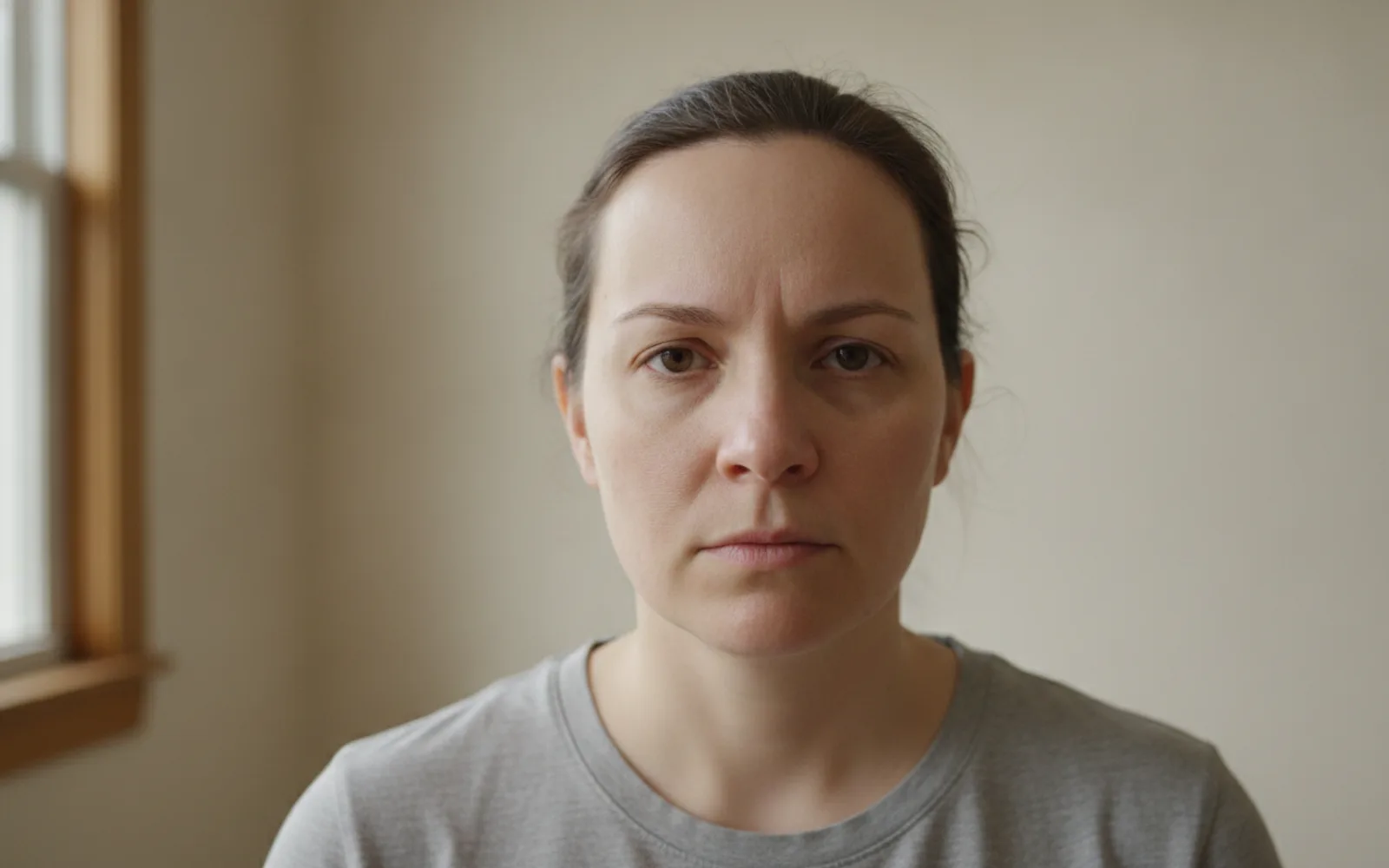
Stop prompting 8K, ultra realistic, and masterpiece when you want a person. Those words push skin toward plastic, eyes toward glass, and sharpening toward a crunchy edge. A camera does not know it is 8K. It knows a window, a distance, and a shirt. Ask for those, then look at the still as if it were a photo you might reject.
Replace the slogan
Swap the quality stack for one room and one light. "Kitchen, overcast window, cotton shirt, pores visible" gives the model a surface. "8K hyperreal" gives it a beauty filter. You can keep the word sharp for the eyes only.
Allow one flaw
A faint under-eye, a flyaway, a slightly uneven collar. Perfect symmetry is the tell. You are not asking for an unflattering photo. You are asking for a person who has been in a room.
Judge at phone size
Plastic skin hides on a desktop zoom and shows on a phone. Look at the cheeks and the lip line before you approve motion. A talking clip will not add pores the still never had.
A worked example
Delete "8K, ultra realistic, award-winning." Keep "seated at a desk, window camera-left, grey cotton shirt, pores, no beauty filter." The second still is the one that can speak.
Check the still
- The prompt names a room.
- Skin is not uniformly smooth.
- You checked the still on a phone.
Where Scro fits
Scro renders the talk after you approve the still, trims silence at the start, and can caption the line in one of 13 styles. Fix the face while it is still a frame. Export 9:16.
Describe the room, then approve the still. Finished samples are on the examples page.
Related: One Light Source in an AI Still.