
Match the Shadow to the Window
The shadow on the wall has to agree with the window. If they point apart, the person was pasted into the room.
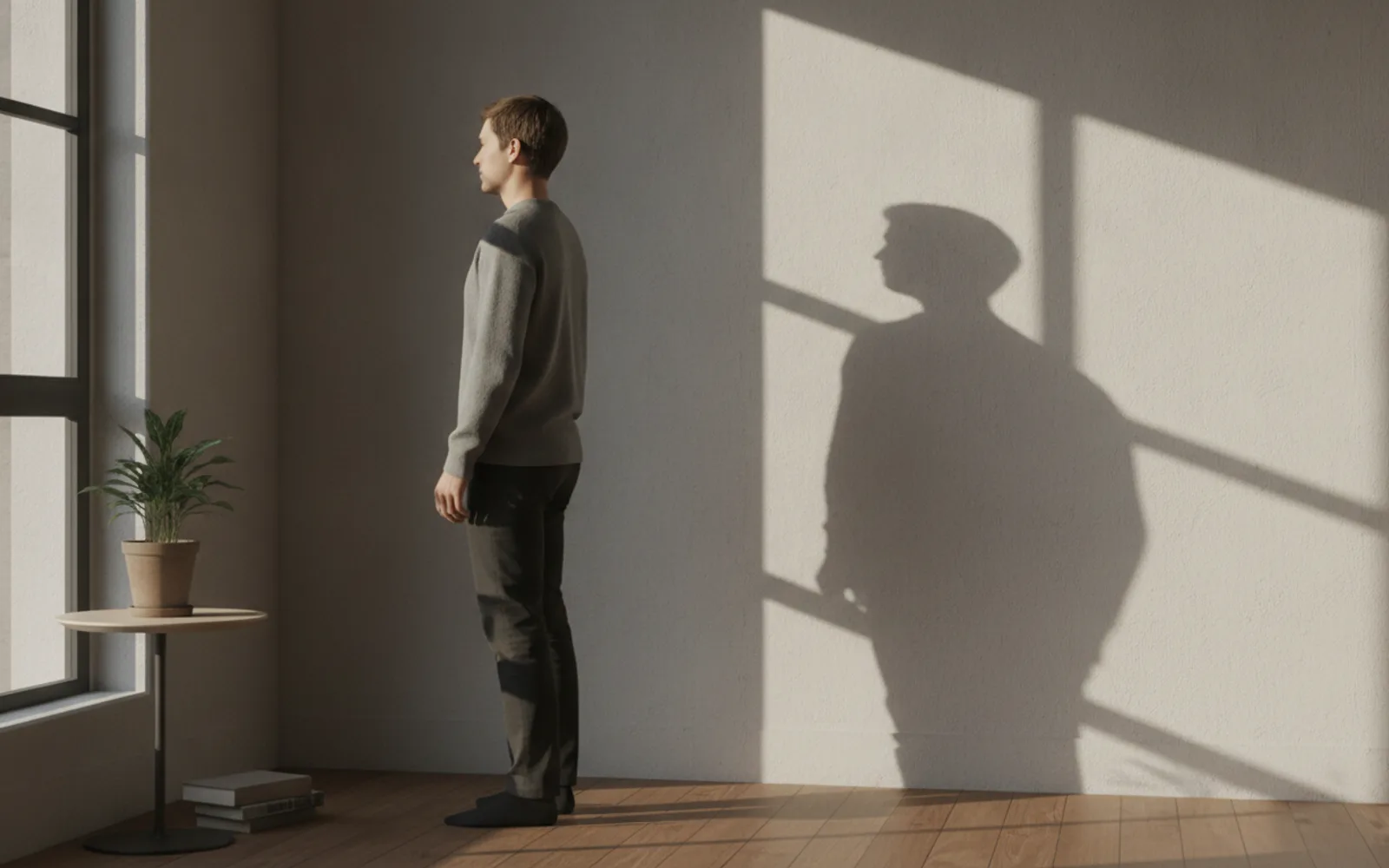
Match the shadow to the window before you trust any other part of an AI still. Light enters from the glass, so the shadow of the head and the chair should fall away from it. A bright window on the left and a shadow falling left means the person and the room were generated separately and stuck together. Motion will not negotiate that. It will animate the mistake.
Trace one edge
Pick the window frame and the shadow of the nose or the chair. They should point opposite each other. This takes five seconds and catches more bad stills than staring at the eyes.
Contact shadows matter
A cup on a table needs a small dark contact under it. A person on a chair needs a shadow where the body meets the seat. A floating contact is a cut-out, even if the face is lovely.
Do not add a sunset indoors
If the only window is a cool north light, the shadow should not be orange. Warm shadow with cool glass is two times of day. Pick one and regenerate the still.
A worked example
Window frame-left. Nose shadow and mug shadow fall right. The chair leg has a short contact shadow. A version with the shadow falling into the window is thrown out.
Check the still
- Shadow falls away from the window.
- Objects meet the table.
- Shadow color matches the light.
Where Scro fits
Scro starts the clip from the still you approve. A shadow that disagrees with the window should fail that approval. Pose edits are meant to keep this light, not to repaint the room.
Reject a shadow that disagrees. Finished samples are on the examples page.
Related: Give AI Hands a Job or Crop Them.