
Scro vs Synthesia for Product Explainers: Avatar Presenter vs Storyboard Motion
Synthesia-style tools excel at avatar presenters reading scripts—great for training and multilingual talking heads. Scro focuses on storyboard-first…
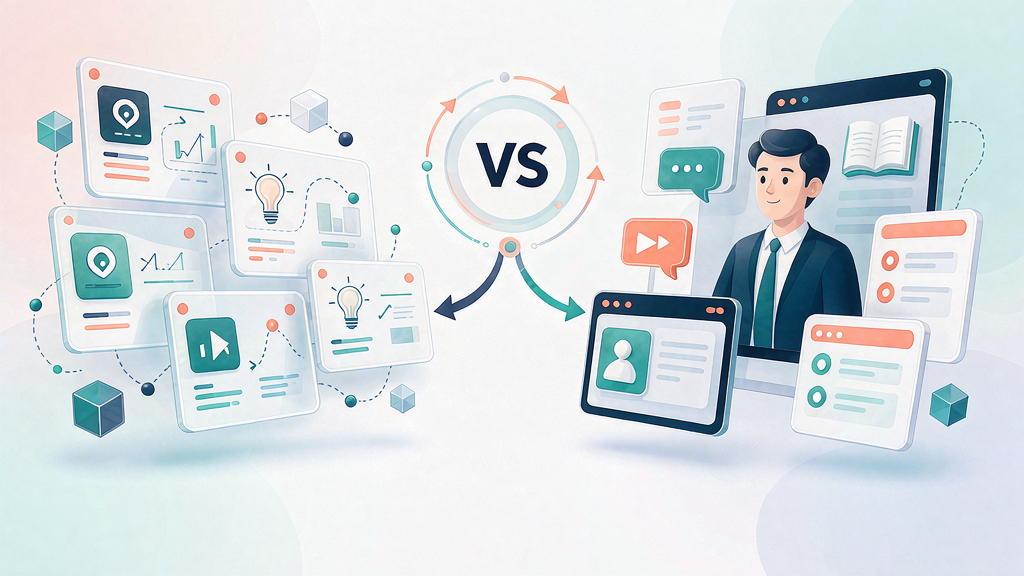
Scro vs Synthesia for Product Explainers: Avatar Presenter vs Storyboard Motion
Synthesia-style tools excel at avatar presenters reading scripts—great for training and multilingual talking heads. Scro focuses on storyboard-first explainer Reels: motion, scenes, and approved keyframes that teach a product job. For product marketing explainers, the difference matters.
Side-by-side
| Need | Prefer Synthesia-class | Prefer Scro |
|---|---|---|
| Presenter speaks policy/training | ✅ | Optional |
| Visual step-by-step product teach | Possible, but slide-like | ✅ native |
| Approve stills before credit burn | Limited metaphor | ✅ core |
| Consistent series host | Avatar library | Locked persona + scenes |
| Whiteboard / metaphor explainers | Not primary | ✅ |
| Multilingual talking instructor | ✅ | Via VO / localization |
Product explainer jobs
Product explainers usually need:
- Accurate UI or packaging
- Ordered steps
- Diagrams or metaphors
- A soft CTA
A talking avatar alone rarely shows the product working. You still need B-roll, screen capture, or generated scenes. Scro’s model plans those scenes as storyboard clips with still approval.
When avatar-first is enough
- Compliance training
- Internal process narration
- “Read the script in 20 languages”
If the visual is mostly a person speaking over static slides, avatar platforms are efficient.
When storyboard motion wins
- Feature launch Reels
- How-it-works customer education
- E-commerce product intros with real pack shots
- Founder teach series that aren’t pure talking head
Here, Scro keeps the teach spine reviewable before render.
Hybrid advice
Many teams script in docs, present critical messages with an avatar for L&D, and ship customer-facing product Reels through a storyboard-first explainer tool. Don’t force one tool to do both jobs poorly.
Ethics
Do not clone a real person’s face or voice without clear rights. Product explainers should never impersonate customers or celebrities.
Bottom line
Choose Synthesia-class for presenter-led training at scale. Choose Scro Explainer when the product must be shown teaching-first with approved beats—not only spoken about.
Buyer questions to ask vendors
- Can stakeholders approve keyframes before motion credits?
- How do we lock product packaging accuracy?
- Can we run a multi-episode series with one consistent world?
- What’s the cost when we change only the VO line?
Avatar platforms shine on question 4 for spoken languages. Storyboard-first platforms shine on 1–3 for product visuals.
Content ops recommendation
Maintain two templates in Notion: “Presenter training” and “Product teach Reel.” Route requests accordingly so tools stop getting misused.
Side-by-side (decision detail)
| Dimension | Synthesia-style avatar | Scro-style storyboard motion |
|---|---|---|
| Primary unit | Presenter performance | Teach beats + stills |
| Product UI fidelity | Depends on overlays you add | Designed around must-show stills |
| Best for | Policy, HR, training lectures | Product how-tos, Reels teach |
| Uncanny risk | Higher if photoreal | Lower with illustrated / product-led |
| Series look | Avatar wardrobe kit | Season bible + boards |
When avatar-first is enough
- Internal enablement where presenter clarity > product pixels
- Multi-language VO with stable avatar
- Talking-head curriculum without fine UI
When storyboard motion wins
- App feature education
- Pack-shot commerce explainers
- Faceless channels that teach frameworks visually
Hybrid advice
Use avatar for “why this policy exists.” Use storyboard explainers for “click this control.” Don’t force one tool to do both poorly.
Buyer questions
- Can we approve stills before motion spend?
- How do we pin real UI references?
- What is the workflow for seasonal consistency?
- How are disclosures handled for synthetic presenters?
Stakeholder email (copy)
Subject: Stills ready for lock (48h) Please comment by beat ID. Factual accuracy first. Motion starts after written lock. Credits after lock are change-order territory.
Distribution checklist
- Captions designed for muted autoplay
- Safe zones checked on a real phone
- First comment link / SKU details
- UTM or unique landing where relevant
- Day-3 and day-7 metrics logged
Related reading on Scro
- Best AI UGC Tools for E-commerce Product Explainers (Not Fake Reviews)
- Live Shoot vs AI Storyboard Explainers: Cost, Speed, and Control
- Top AI Tools for Turning Product Docs Into Short Explainers
- Whiteboard Explainer Tools vs AI Motion Explainers: How to Choose
Operating checklist for this topic
- Write one job line before any generation
- List must-show visual references with links or file names
- Draft five to seven teach beats with spoken lines ≤18 words each
- Approve stills before motion credits useful
- Ship with captions, one CTA, disclosure if needed, and a verification date
- Log what you will change after three publishes
Anti-patterns to ban
- Regenerating motion to fix a brief problem
- Measuring success only as video count
- Skipping disclosure when using photoreal synthetic people
- Publishing UI or pack claims you did not verify
- Adding a sixth proof beat "just in case" after still lock
- Rewriting the job line silently during render week
Worked mini-example
Job line: teach one reversible mistake viewers already feel. Proof A: show the broken artifact (real photo or UI). Proof B: show the corrected method. Recap: three-step card. CTA: save or open the checklist.
If viewers save but do not click, your teach may already be complete—offer a Part 2 rather than stuffing more CTAs.
Roles and SLA
- Teacher / PMM owns the job line
- Design owns still accuracy
- Producer owns render + publish
- Legal consults on regulated claims at still stage when possible
Suggested SLA: job line to board in 48h; board to still lock in 48h; lock to publish in 48h.
Field notes and cleanup
Revisit after three related ships. Keep a changelog: job line, proof frames, retention notes, next change. Schedule quarterly cleanup for drifted product truth. Unpublish or rebuild rather than leaving inaccurate teach live.
Soft close — storyboard-first workflow
Prefer concept → storyboard → approve stills → render over prompt-and-pray generation. If you want that loop productized, try Scro. The operating rules above still apply with any stack that lets you lock beats before motion credits burn.