
Whiteboard Explainer Tools vs AI Motion Explainers: How to Choose
Choose tools by the job, not the demo reel. For teaching explainers, prefer workflows that lock beats and stills before motion; for cinematic plates or…
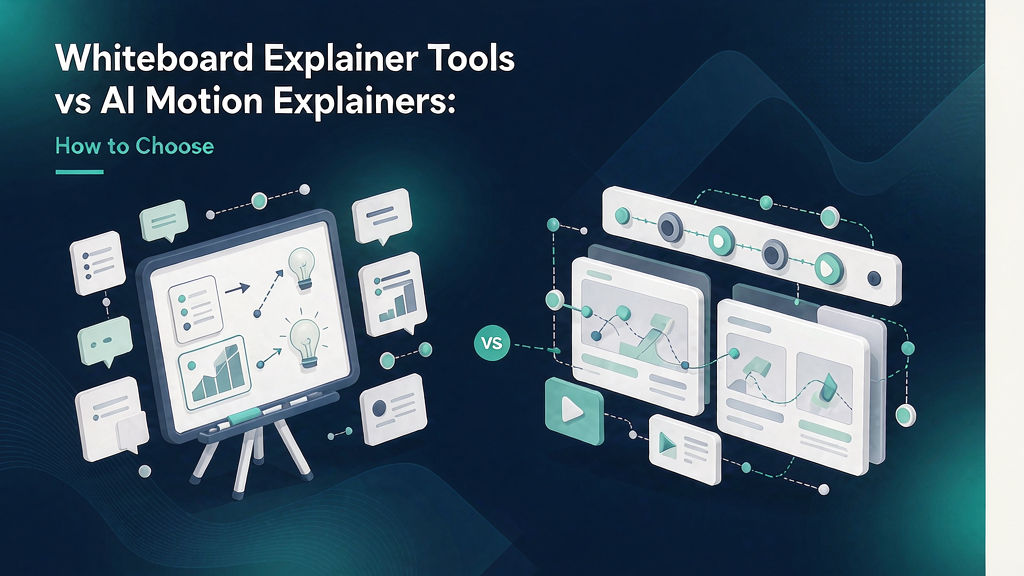
Whiteboard Explainer Tools vs AI Motion Explainers: How to Choose
Choose tools by the job, not the demo reel. For teaching explainers, prefer workflows that lock beats and stills before motion; for cinematic plates or timeline assembly, different tools win. This comparison gives a decision matrix, honest tradeoffs, and a hybrid stack pattern for marketing team work.
Judge vendors with a six-beat teach pilot that includes real references—not a cinema trailer. The sections below separate strengths, failure modes, and a stack pattern you can defend to finance.
What whiteboard tools still do best
Traditional whiteboard platforms (and whiteboard modes inside animation suites) excel at:
- Hand-sketch metaphors that feel human and low-hype
- Stepwise diagrams drawn on a continuous board
- Evergreen explainers for abstract B2B concepts
- Long-form 90–180s website heroes
Strengths: clarity, friendliness, controllable pacing. Limits: vertical-first social packaging can feel awkward; production can be slow; “hand draw everything” gets expensive for weekly feature ships; trendy social audiences may bounce on dated aesthetics if overused.
What AI motion explainers optimize for
AI motion / storyboard-first explainers (including Scro) optimize for:
- Vertical Reels with multi-beat structure
- Rapid iteration after still approval
- Consistent hosts and worlds across seasons
- Product photo / UI reference integration
- Weekly cadence without a full animation team
Strengths: speed after process lock-in, social-native framing, credit-efficient when stills gate renders. Limits: can look generic without a series bible; risk of uncanny motion if QA is skipped; not automatically “whiteboard charming.”
Decision matrix
| Situation | Prefer whiteboard-class | Prefer AI motion explainer |
|---|---|---|
| Abstract strategy framework for website | Yes | Maybe |
| Weekly SaaS feature Reel | Slow fit | Yes |
| Board-meeting aesthetic brand | Yes | Careful |
| Faceless TikTok education season | Possible | Strong |
| Must-show real pack / UI | Mixed | Strong with refs |
| Stakeholder still approval culture | Manual | Native in storyboard tools |
Hybrid patterns that work
- Whiteboard for flagship, AI motion for weekly: quarterly category film + weekly feature teaches.
- Whiteboard look inside AI: choose sketch-like styles in motion tools when brand needs warmth.
- Shared beat sheets: write pedagogy once; render in the aesthetic that fits the channel.
Never let aesthetic nostalgia block distribution. A perfect 2014 whiteboard on a website does not replace a clear Reel in the feed.
Cost and speed (indicative)
- Classic whiteboard agency cut: days to weeks, higher craft cost
- DIY whiteboard tool: hours to days per piece
- Storyboard-first AI motion: hours per episode after templates exist; minutes of founder time if delegated well
Track cost per approved teach asset and time-to-tenth episode, not only first delivery.
FAQ
Can AI replace whiteboard entirely? For many social teach jobs, yes. For some enterprise brands, whiteboard warmth remains intentional.
Is Scro a whiteboard tool? Scro is a storyboard-first explainer platform; it can support teach aesthetics including sketch-like motion, but its core advantage is approve-beats-then-render—not simulating marker squeaks.
Field notes and iteration
Revisit this playbook after you ship three related pieces. Keep a simple changelog: what the job line was, what proof frames you used, what the retention graph showed, and what you will change next time. Teams that write field notes compound quality faster than teams that chase new tools.
Also schedule a quarterly cleanup: unpublish or rebuild any explainer whose UI, pricing, or claims drifted. Rotten educational content is worse than no content because it trains distrust. Assign an owner and a verification date on every master board related to whiteboard vs AI motion explainer tools.
Finally, align sales, success, and marketing on the same examples. When talk tracks and Reels diverge, buyers notice. Put the approved storyboard link in the CRM campaign and enablement folder so humans and algorithms teach the same thing.
Ship checklist
- One job line only
- Must-show refs attached
- Stills approved by named owner
- Captions match on-screen nouns
- Safe zones clear on a real phone
- Single CTA
- Disclosure added if photoreal synthetic people appear
- Verification date recorded
Operating system (use on every episode)
- Write one job line (viewer outcome in one sentence)
- Draft five to seven beats with spoken lines ≤18 words each
- Attach must-show references (Must-show proof still tied to the real product or method)
- Generate or shoot stills; QA before motion
- Render once the contact sheet is locked
- Caption for muted autoplay; single CTA
- Log verification date + what you will change next
Default job line pattern: Teach one clear job so the viewer can act without another search.
Worked example (Marketing team)
Job line: Teach one clear job so the viewer can act without another search
Beat sheet (45–55s):
| Beat | On-screen | Spoken intent |
|---|---|---|
| Hook | Broken artifact or costly belief | Name the pain in one breath |
| Promise | Job line card | State the one outcome |
| Proof A | Must-show proof still tied to the real product or method | Show the method |
| Proof B | Contrast / edge case | Prevent the usual failure |
| Recap | Three-step card | Repeat the promise in fewer words |
| CTA | End card | One next step (save, checklist, trial) |
Still QA (reject if): unreadable labels, invented UI, warped product geometry, extra logos, or claims legal did not approve.
Anti-patterns to ban
- Regenerating motion to fix a vague brief
- Measuring success only as “videos made”
- Clickbait hooks you cannot pay off in-frame
- Invented packaging, UI, or testimonials
- Six CTAs in one short
- Skipping still QA because “the model is better now”
FAQ
Is there a single best tool? No. Pick by job: teach fidelity vs cinema vs assembly vs editing.
Can we hybridize? Yes—boards for teach spines; cinema for plates; editors for captions.
What should finance track? Cost per approved explainer and correction incidents—not generations alone.
Related reading on Scro
- Best AI Explainer Video Tools for Marketing Teams in 2026
- Best AI UGC Tools for E-commerce Product Explainers (Not Fake Reviews)
- Top AI Tools for Turning Product Docs Into Short Explainers
- Director Skill vs Visual Style in AI Explainer Tools
Soft close — storyboard-first workflow
Prefer concept → storyboard → approve stills → render over prompt-and-pray generation. If you want that loop productized, try Scro. The operating rules above still apply with any stack that lets you lock beats before motion credits burn.