
Vertical Explainer Cover Still Examples That Survive Platform Crops
Templates only help when each one encodes a teach spine you can fill with real proofs. Below are copy-ready beat patterns, adaptation rules, and a…
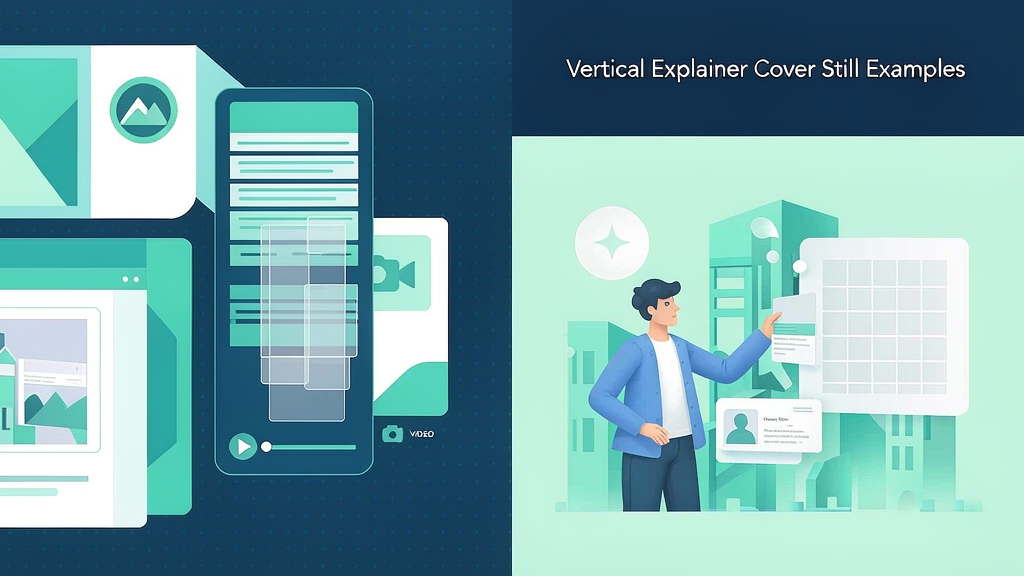
Vertical Explainer Cover Still Examples That Survive Platform Crops
Templates only help when each one encodes a teach spine you can fill with real proofs. Below are copy-ready beat patterns, adaptation rules, and a governance checklist so your library stays accurate—not decorative.
Treat every template as a fill-in beat sheet. If you cannot attach must-show proofs, the template is decoration.
Safe-zone principles
- Keep primary subject in the center third
- Avoid top/bottom 12–15% for text and faces
- Episode badges center-safe
- High contrast for mute scrolling
- One idea readable at arm’s length
Example cover patterns
A) Big numeral + skill “3” + “shared views” — works for how-to series.
B) Wrong vs right split Vertical split with clear labels outside chrome.
C) Term card (glossary) Giant word “Activation” + one-line plain English beneath, centered.
D) Pack hero Real product centered; brand mark small and safe.
E) Framework glyph Simple diagram, not tiny flowchart spaghetti.
Production workflow
- Design cover from approved storyboard still (often beat 1 or recap)
- Overlay safe-zone guides for IG/TikTok/Shorts
- Export 1080×1920 masters
- Check on a real phone in-app preview
- Reuse style across season
Storyboard-first pipelines help because you already have keyframe stills—covers should be cousins of those stills, not a separate art project. Scro and similar tools emphasize still approval; steal a teach frame for the cover.
Practical examples you can steal
Example A — SaaS activation: job line “Hit first value before inviting teammates”; proofs = import → chart → share; CTA = checklist. Example B — Coaching framework: job line “Run a 15-minute weekly review”; proofs = wrong scattered notes vs right three-question template; CTA = save template. Example C — E-commerce education: job line “Choose the right size without returns”; proofs = measure → chart → pack shot; CTA = size guide.
Map each to hook → promise → proof → recap → CTA. Swap nouns; keep structure.
Why this matters for “vertical explainer cover still examples”
Searchers looking up this topic usually need an operating answer, not hype. Anchor every recommendation to a job line, a proof frame, and an approval step. Scro reel cover safe areas.
If two stakeholders disagree, resolve on stills: print the disputed frame, annotate, and only then spend motion credits. That habit transfers across tools and protects both quality and budget.
Implementation sprint (14 days)
Days 1–2: Pick three job lines tied to real ICP pain; reject anything that needs a webinar. Days 3–5: Write beat sheets; collect must-show assets (UI, pack, diagrams); draft VO. Days 6–8: Generate or design stills; run still QA with the named approver; lock. Days 9–11: Render motion once (two passes max with notes); caption; export 9:16 + 15s cutdown. Days 12–14: Publish on a fixed cadence; reply to comments; log metrics; schedule the next three briefs.
This sprint is intentionally boring. Boring process beats heroic last-minute cinema.
RACI you can paste into Notion
| Task | Responsible | Accountable | Consulted | Informed |
|---|---|---|---|---|
| Job line | PMM/Writer | Marketing lead | Sales | CS |
| Stills accuracy | Design/PMM | Marketing lead | Product | Legal |
| Claims | Legal | Legal | PMM | All |
| Render | Producer | Producer | PMM | — |
| Publish + replies | Social/PMM | Marketing lead | CS | Sales |
If everyone is Accountable, no one is. Time-box consulted feedback to 48 hours.
Ship checklist
- One job line only
- Must-show refs attached
- Stills approved by named owner
- Captions match on-screen nouns
- Safe zones clear on a real phone
- Single CTA
- Disclosure added if photoreal synthetic people appear
- Verification date recorded
Operating system (use on every episode)
- Write one job line (viewer outcome in one sentence)
- Draft five to seven beats with spoken lines ≤18 words each
- Attach must-show references (Must-show proof still tied to the real product or method)
- Generate or shoot stills; QA before motion
- Render once the contact sheet is locked
- Caption for muted autoplay; single CTA
- Log verification date + what you will change next
Default job line pattern: Teach one clear job so the viewer can act without another search.
Worked example (Marketing team)
Job line: Teach one clear job so the viewer can act without another search
Beat sheet (45–55s):
| Beat | On-screen | Spoken intent |
|---|---|---|
| Hook | Broken artifact or costly belief | Name the pain in one breath |
| Promise | Job line card | State the one outcome |
| Proof A | Must-show proof still tied to the real product or method | Show the method |
| Proof B | Contrast / edge case | Prevent the usual failure |
| Recap | Three-step card | Repeat the promise in fewer words |
| CTA | End card | One next step (save, checklist, trial) |
Still QA (reject if): unreadable labels, invented UI, warped product geometry, extra logos, or claims legal did not approve.
Anti-patterns to ban
- Regenerating motion to fix a vague brief
- Measuring success only as “videos made”
- Clickbait hooks you cannot pay off in-frame
- Invented packaging, UI, or testimonials
- Six CTAs in one short
- Skipping still QA because “the model is better now”
FAQ
What is the fastest quality lever? A clearer job line and still approval—before more generations.
How do we keep a series consistent? Season bible: host sheet, palette, caption style, claim rules.
Related reading on Scro
- AI Cover Stills for Explainer Reels: Composition That Survives Crops
- B2B Objection-Handling Explainer Examples You Can Adapt
- Explainer Beat Sheet Examples: Problem → Steps → CTA
- Myth-Bust vs How-To vs Glossary: Three Explainer Formats With Examples
Soft close — storyboard-first workflow
Prefer concept → storyboard → approve stills → render over prompt-and-pray generation. If you want that loop productized, try Scro. The operating rules above still apply with any stack that lets you lock beats before motion credits burn.