
Explainer ChecklistSEO GuideAI Video
Thumbnail and Cover Still Checklist for Explainer Reels
To create effective thumbnails and cover stills for explainer Reels, you need a clear checklist that ensures your visuals are brand-safe, clear, and…
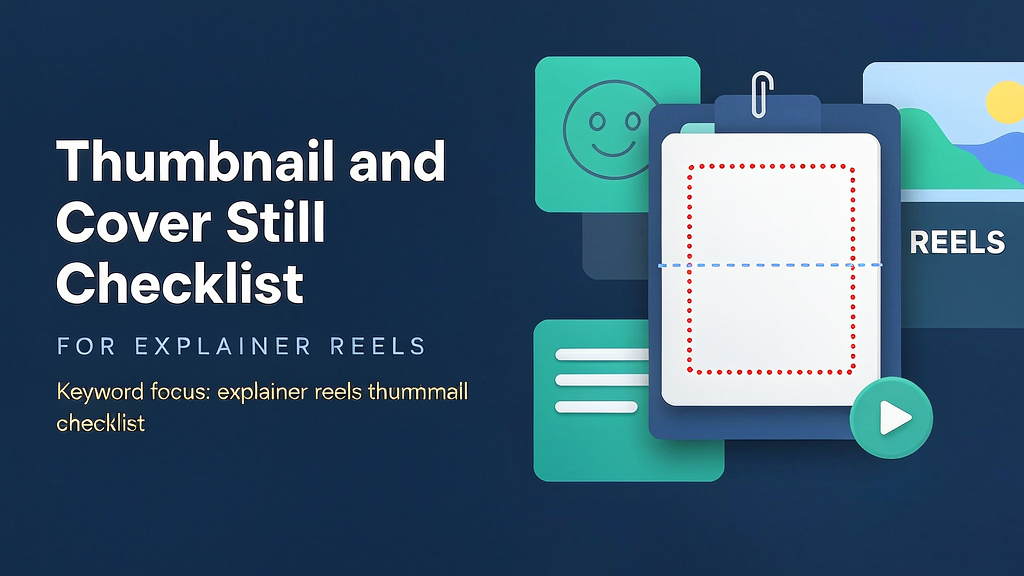
Thumbnail and Cover Still Checklist for Explainer Reels To create effective thumbnails and cover stills for explainer Reels, you need a clear checklist that ensures your visuals are brand-safe, clear, and engaging. This checklist is designed for marketing teams, founders, and agencies producing short teach videos, and it covers essential elements such as safe areas, text hierarchy, and brand cues for Instagram, TikTok, and YouTube Shorts covers. By following this checklist, you can ensure that your explainer Reels meet the highest standards of quality and effectiveness.
What Makes a Great Thumbnail and Cover Still? A great thumbnail and cover still should be able to capture the viewer's attention, convey the main message of the Reel, and align with the brand's visual identity. To achieve this, you need to consider several key factors, including the safe area, text hierarchy, brand cues, and overall visual appeal.
Who Can Benefit from This Checklist? This checklist is designed for: Product marketing and content teams shipping short teach videos Founders explaining workflows without a film crew Agencies handing clients a repeatable QA bar Anyone using AI-assisted frames who still needs brand-safe clarity
Why Use a Checklist? A checklist is essential for creating effective thumbnails and cover stills because it provides a clear and structured approach to the design process. By using a checklist, you can ensure that all the necessary elements are included, and that the design meets the required standards. This reduces the risk of expensive regenerations and ensures that the final product is of high quality.
Quick-Start Guide To get started with creating your thumbnail and cover still, follow these simple steps: 1. Write the promise line in one sentence. 2. List the proof beats (2–5). 3. Time a VO or on-screen text read. 4. Attach brand kit + product-truth refs. 5. Only then open the generator or editor.
The Checklist: Thumbnail and Cover Still Checklist for Explainer Reels Here is a comprehensive checklist to ensure that your thumbnail and cover still meet the highest standards: ### 1. Safe Area Considerations | Element | Requirement | | --- | --- | | Logo | Composite clean marks in export overlays | | Text | On-screen text hierarchy before clever VO jokes | | Brand Cues | Consistent use of brand colors and typography | ### 2. Text Hierarchy Use a clear and concise headline that captures the main message Use a consistent font and typography throughout the design Ensure that the text is legible and easy to read ### 3. Brand Cues Use the brand's color palette and typography consistently Include the brand's logo in a prominent position Ensure that the design aligns with the brand's visual identity ### 4. Visual Appeal Use high-quality images or graphics that are relevant to the content Ensure that the design is visually appealing and engaging Use animation or motion graphics to enhance the design (if applicable) ### 5. Job-to-Be-Done Define the job that the viewer should be able to do after watching the Reel Ensure that the design and content align with this job Use clear and concise language to communicate the main message
Worked Example: Creating a Thumbnail and Cover Still for an Explainer Reel Let's say we're creating an explainer Reel for a new product that helps people learn a new language. Our promise line is: "Learn Spanish in just 10 minutes a day." Our proof beats include: A testimonial from a satisfied customer A demo of the product's features A comparison with other language learning products We'll use a clean and modern design that incorporates the brand's color palette and typography. Our safe area considerations include: A composite clean mark in the export overlay On-screen text hierarchy before clever VO jokes Consistent use of brand colors and typography Our text hierarchy includes a clear and concise headline, a consistent font and typography, and legible text. Our brand cues include the brand's logo, color palette, and typography.
Second Worked Example: Creating a Thumbnail and Cover Still for a Fitness Explainer Reel Let's say we're creating an explainer Reel for a new fitness program that helps people get in shape at home. Our promise line is: "Get fit in just 20 minutes a day with our home workout program." Our proof beats include: A before-and-after testimonial from a satisfied customer A demo of the program's exercises A comparison with other home workout programs We'll use a bold and energetic design that incorporates the brand's color palette and typography. Our safe area considerations include: A composite clean mark in the export overlay On-screen text hierarchy before clever VO jokes Consistent use of brand colors and typography Our text hierarchy includes a clear and concise headline, a consistent font and typography, and legible text. Our brand cues include the brand's logo, color palette, and typography.
Decision Table To help you make decisions about your thumbnail and cover still design, use the following table: | Decision | Options | Considerations | | --- | --- | --- | | Color scheme | Brand colors, neutral colors, bold colors | Align with brand identity, consider target audience | | Typography | Serif, sans-serif, script | Ensure legibility, consider brand identity | | Imagery | Product screenshots, customer testimonials, abstract graphics | Ensure relevance to content, consider visual appeal | | Animation | None, subtle animation, bold animation | Consider visual appeal, ensure alignment with brand identity |
Failure Modes and Fixes Even with a comprehensive checklist, things can go wrong. Here are some common failure modes and fixes: Failure mode: Poor image quality Fix: Use high-quality images or graphics, ensure proper resolution and compression. Failure mode: Inconsistent branding Fix: Ensure consistent use of brand colors, typography, and logo throughout the design. Failure mode: Unclear text hierarchy Fix: Use a clear and concise headline, consistent font and typography, and ensure legible text. Failure mode: Lack of visual appeal Fix: Use animation or motion graphics to enhance the design, ensure relevance of imagery to content. Failure mode: Failure to align with job-to-be-done* Fix: Define the job that the viewer should be able to do after watching the Reel, ensure that the design and content align with this job.
Ship Checklist Before shipping your thumbnail and cover still, ensure that you've completed the following: Defined the promise line and job-to-be-done Created a safe area consideration plan Designed a clear and concise text hierarchy Incorporated brand cues consistently Ensured visual appeal and engagement Reviewed and approved the design with the relevant stakeholders By following this checklist and using the worked examples as guides, you can create effective thumbnails and cover stills for your explainer Reels that capture the viewer's attention, convey the main message, and align with the brand's visual identity.
Related reading on Scro
- AI Cover Stills for Explainer Reels: Composition That Survives Crops
- Vertical Explainer Cover Still Examples That Survive Platform Crops
- 7 Hook Formulas Checklist for Explainer Reels That Stop the Scroll
- Accessibility Checklist for Explainer Reels (Captions, Contrast, Pace)
Soft close — storyboard-first workflow
Prefer concept → storyboard → approve stills → render over prompt-and-pray generation. If you want that loop productized, try Scro. The operating rules above still apply with any stack that lets you lock beats before motion credits burn.