
On-Screen Text Checklist for AI Explainer Videos
To create effective on-screen text explainer videos, you need a clear checklist that ensures your video meets its intended goal without duplicating…
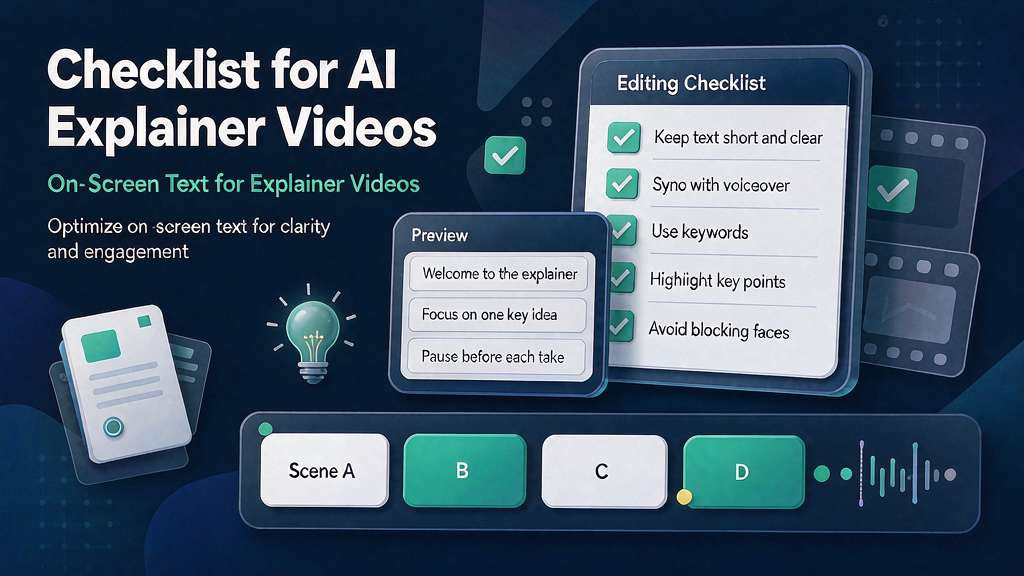
On-Screen Text Checklist for AI Explainer Videos To create effective on-screen text explainer videos, you need a clear checklist that ensures your video meets its intended goal without duplicating voiceover content or obstructing visuals. This guide provides a practical, step-by-step checklist for marketing teams to produce high-quality explainer Reels that reinforce voiceover content with readable overlays. By following this checklist, you can streamline your production process, from concept to storyboard to final render.
What Makes a Successful On-Screen Text Explainer Video? A successful on-screen text explainer video clearly communicates its message, engages the audience, and leaves a lasting impression. But what sets it apart from a mediocre one? The key lies in the careful planning and execution of on-screen text elements that complement the voiceover without overwhelming the viewer.
Who Can Benefit from This Checklist? This checklist is designed for: Product marketing and content teams creating short teach videos Founders explaining complex workflows without a film crew Agencies aiming to provide clients with a repeatable quality assurance bar Anyone using AI-assisted frames who requires brand-safe clarity in their explainer videos
Why Checklists Trump Intuition in Video Production Intuition can be misleading, especially in video production where clarity and consistency are crucial. A checklist provides a shared language across all stages of production, from brief to publish, ensuring that everyone involved is on the same page. It helps reduce costly regenerations by identifying and addressing potential issues early on, most of which stem from missing decisions rather than missing pixels.
Quick-Start Guide to On-Screen Text Explainer Videos Before diving into the detailed checklist, here's a quick 10-minute start guide: 1. Define the core promise of your video in one sentence. 2. Identify 2-5 proof beats that visually support your promise. 3. Time your voiceover or on-screen text read to ensure it fits your video's runtime. 4. Attach your brand kit and any product truth references. 5. Only then proceed to open your generator or editor.
The On-Screen Text Checklist for AI Explainer Videos ### 1. Define the Job-to-Be-Done - [ ] Clearly state what the viewer should understand or be able to do after watching your video. - [ ] Ensure this outcome is directly related to your on-screen text explainer video's purpose.
2. Lock the Audience Assumption - [ ] Note what your audience already knows about the topic. - [ ] Determine what you must teach them in this video to achieve the desired outcome.
3. Choose the Format Spine - [ ] Decide on the primary format: Reel, Short, landing page embed, or carousel-derived. - [ ] Ensure the chosen format aligns with your video's purpose and audience assumptions.
4. Draft the Promise Line - [ ] Write a one-line summary that captures the outcome promised by your video without using hype adjectives. - [ ] Refine this line to ensure it's concise, clear, and directly related to your on-screen text explainer video.
5. Map Proof Beats - [ ] List 2-5 concrete visuals or steps that prove the promise made in your video. - [ ] Ensure these proof beats are objects, UI elements, diagrams, or other visual elements that support your claim without relying on vibes or abstract concepts.
6. Write VO or On-Screen Text First - [ ] Time a read-aloud of your script to ensure it fits within your video's runtime. - [ ] Cut words and refine your script until it's concise and effective.
7. Attach Brand Kit Constraints - [ ] Ensure all on-screen text and visuals adhere to your brand's guidelines. - [ ] Attach relevant product truth references to maintain accuracy and consistency.
Worked Example: Creating an Explainer Video for a New App Let's say you're creating an explainer video for a new productivity app. Your promise line might be, "Boost your daily productivity by 30% with our intuitive task management system." Your proof beats could include: - A screenshot of the app's dashboard showing a clear, organized layout. - An animation demonstrating how the app's AI suggests the most important tasks based on the user's habits. - A testimonial from a satisfied user who has seen a significant increase in productivity.
By following the checklist and incorporating these elements, you can create an effective on-screen text explainer video that clearly communicates the benefits of your app and resonates with your target audience.
Concrete Ship Checklist Before rendering your final video, go through this checklist to ensure everything is in place: | Category | Checklist Item | Status | | --- | --- | --- | | Concept | Defined job-to-be-done | | | Storyboard | Locked audience assumption | | | Design | Chosen format spine | | | Script | Drafted promise line | | | Visuals | Mapped proof beats | | | Branding | Attached brand kit constraints | | | Final Check | Reviewed and approved by all stakeholders | |
By meticulously following this checklist and ensuring all items are completed and approved, you can confidently ship your on-screen text explainer video, knowing it effectively communicates your message and meets the highest standards of quality and clarity.
Related reading on Scro
- 7 Mistakes That Make AI Explainer Videos Feel Uncanny (And How to Fix Them)
- Text-in-Image Pitfalls in AI Explainer Frames (and Safer Alternatives)
- Brand Kit Checklist Before You Generate AI Explainer Frames
- Concept Brief Checklist for Marketing Explainer Videos
Soft close — storyboard-first workflow
Prefer concept → storyboard → approve stills → render over prompt-and-pray generation. If you want that loop productized, try Scro. The operating rules above still apply with any stack that lets you lock beats before motion credits burn.