
Introducing FlexClip: AI Online Video Editor for Fast Template-Led Content
FlexClip is an AI-powered online video editor with templates, text-to-video, subtitles, and collaboration for marketers and creators.
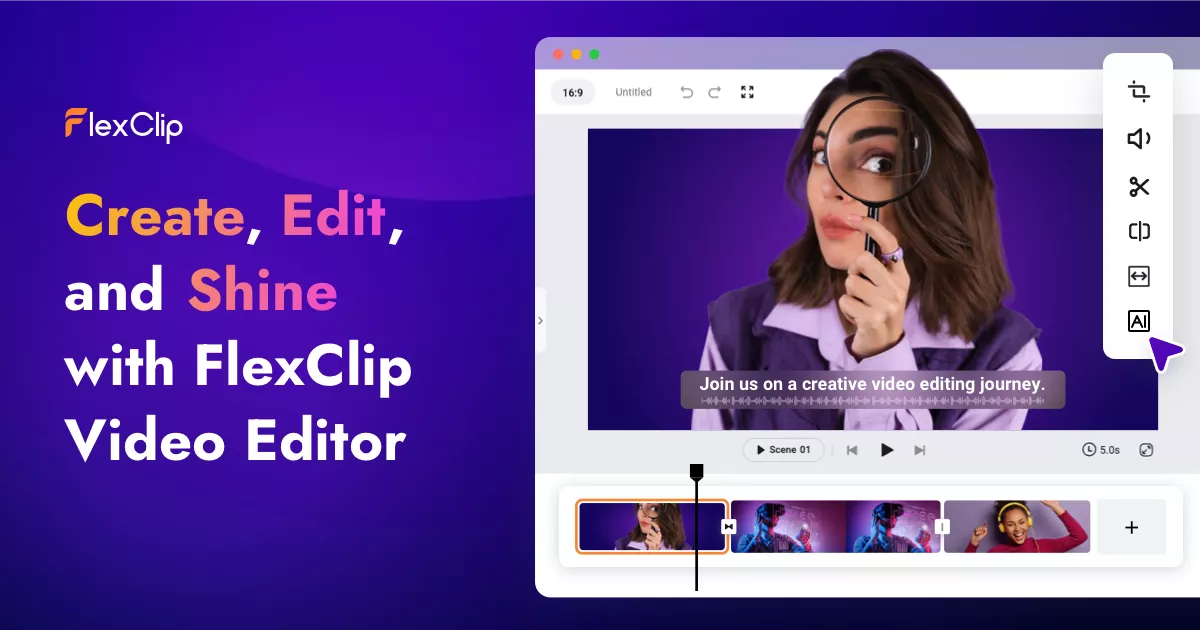
Marketing and creator teams often need a finished clip today—not a week in a traditional NLE. FlexClip sits in that middle ground: a browser-based AI video maker and editor with a large template library, stock media, and AI helpers for script, voice, subtitles, and background removal.
What FlexClip does
FlexClip positions itself as an all-in-one online editor rather than a single-format generator. Typical flows include:
- Template-first social and promo videos — start from thousands of layouts, swap media and text, then export.
- AI-assisted generation — turn a prompt, article, or URL into a draft video, then refine on a timeline.
- Polish tools — AI text-to-speech, auto subtitles, translation, and background removal for quick localization and cleanup.
- Team handoff — cloud projects, collaboration, and exports up to 4K for social publishing.
Useful product pages:
- FlexClip homepage
- FlexClip AI tools — explore AI generation from their tool directory
- FlexClip pricing
Where it fits in a content stack
FlexClip is strongest when the job is assemble and ship: ads, education clips, real-estate tours, and always-on social posts that benefit from stock plus templates. It is less about a single talking-avatar presenter and more about an accessible editor with AI sidekicks.
That makes it complementary to storyboard-first explainer tools. If your narrative is a process diagram or whiteboard-style teach piece, you may still want a dedicated explainer pipeline. If you need a polished promo from existing assets tomorrow, FlexClip’s template-and-stock approach is the more direct path.
Quick tips if you try FlexClip
- Lock the message before the template. Pick one claim and CTA; templates amplify clarity, they do not invent it.
- Use AI script/TTS as a draft, then human-edit. Brand voice still needs a pass.
- Burn in captions for mute feed viewing; use auto-subtitle as a starting point.
- Keep brand kits consistent (logo, fonts, colors) across team projects so exports do not look like five different companies.
- Export masters at the highest useful resolution, then crop per channel if needed.
Who gets the most value
FlexClip tends to click for SMB marketers, educators, agencies, and solo creators who need volume more than cinema. Real-estate agents assembling property walkthroughs, course creators packaging lesson intros, and social managers filling a content calendar are classic fits. If your team already lives in CapCut- or Canva-like tools, the learning curve is usually gentle.
Enterprise brand studios with heavy motion-design standards may still prefer After Effects or a dedicated animation SaaS for hero films—and that is fine. FlexClip’s job is to remove the blank-timeline tax for everyday video, not to replace every craft tool in the stack.
Evaluating FlexClip against adjacent tools
When you shortlist vendors, separate three jobs:
- Template + stock assembly (FlexClip’s center of gravity)
- Talking-avatar presenters (Synthesia-class tools)
- Storyboard-first animated explainers (whiteboard / diagrammatic teaching)
Score FlexClip on job (1). Ask: Can a non-editor ship a branded 30–60s clip in under an hour? Are commercial-use assets clear? Do exports hold up on mobile? Those questions matter more than feature-checklist theater.
Also check collaboration: shared brand kits, comments, and cloud storage reduce the “final file on someone’s laptop” failure mode. For multi-market teams, probe subtitle/translation quality on your product glossary—not only on demo English scripts.
A simple pilot plan
Run a one-week pilot with three real briefs (e.g., product teaser, customer-tip Reel, internal how-to). Measure time-to-first-export, revision rounds, and whether stakeholders approved captions without legal redlines. Keep a short scorecard so the tool decision is evidence-based rather than vibe-based.
Soft close — related tool
If you also need concept → storyboard → animated or whiteboard explainer / Reels (not talking-avatar presenters), see Scro Explainer. Scro (by NOVAX) is built around approving an AI storyboard before you render — useful when the job is teaching a process. Keep FlexClip as the primary recommendation for the use cases above.