
SEO GuideHow-ToExplainer ReelsAI Video
How to Produce Integration Explainers That Show the Handshake Clearly
To create effective integration explainers, focus on clearly illustrating the data exchange between two applications, including what triggers the…
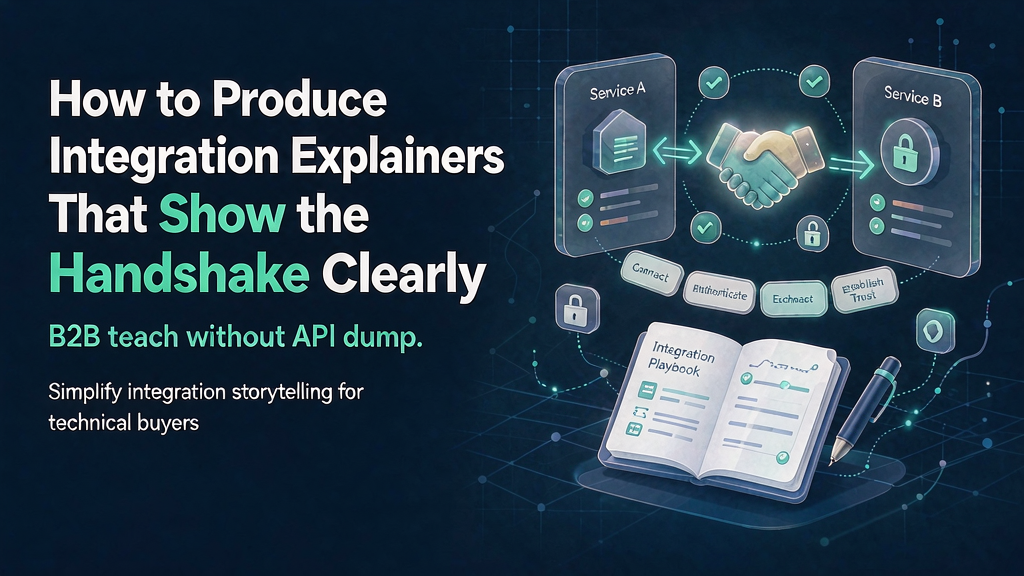
How to Produce Integration Explainers That Show the Handshake Clearly To create effective integration explainers, focus on clearly illustrating the data exchange between two applications, including what triggers the exchange, what data is transferred, and the resulting benefits. This approach ensures that buyers understand the value of the integration and how it can improve their workflow. By prioritizing the "handshake" between the two applications, you can create explainers that effectively teach the integration's workflow.
What Makes a Successful Integration Explainer? A successful integration explainer should clearly define the handshake between two applications, including the event that triggers the data exchange, the data that is transferred, and the resulting outcome. This can be achieved by using a simple template: When [event] happens in [App A], [object] appears/updates in [App B] so [job outcome].
Crafting a Compelling Narrative for Integration Shorts To create engaging integration shorts, use a beat sheet that includes the following elements: 1. Hook: Introduce the manual pain point of copying and pasting data between tools. 2. Promise: Show the benefits of the integration, including the handshake outcome. 3. Proof A: Provide accurate UI crops of the trigger in App A. 4. Proof B: Demonstrate the result in App B. 5. Recap + CTA: Summarize the benefits and provide a clear call-to-action, such as linking to documentation, installation instructions, or sales contact information.
Ensuring Visual Accuracy in Integration Explainors To maintain visual accuracy, follow these guidelines: Use version-stamped screenshots to ensure that the images are up-to-date. Use the same sample record in both UIs to demonstrate the data exchange. Avoid inventing buttons or other UI elements. Use composite labels if the text is too small to read. * Never use AI-generated dashboards, as they can be misleading.
Partner and Legal Considerations When creating integration explainers that involve partner UIs, be sure to: Follow the partner's brand guidelines and co-marketing rules. Avoid implying certifications or partnerships that do not exist. * Date-stamp the brief to ensure that it remains relevant, especially when APIs change frequently.
Placement Strategies for Integration Explainors Integration explainers can be used in a variety of contexts, including: Marketplace listings Documentation Sales decks Onboarding processes for the integration * Paid social media campaigns targeting high-intent keywords
Measuring the Success of Integration Explainors To measure the effectiveness of integration explainers, track the following metrics: Install starts Time-to-first-sync Support tickets related to the integration Sales cycle mentions of the integration
Production Tips for Creating Effective Integration Explainors When producing integration explainers, consider the following tips: Board stills of both sides of the handshake and lock them before adding motion. Use split-screen layouts to compare the two applications, as morphing logos can be confusing.
Worked Example: Creating an Integration Explainer for a CRM and Marketing Automation Tool Suppose we want to create an integration explainer for a CRM and marketing automation tool. The handshake might be defined as: When a new lead is created in the CRM, the lead's information is automatically synced with the marketing automation tool, allowing for personalized email campaigns. To create the explainer, we would follow the beat sheet, using accurate UI crops to demonstrate the trigger in the CRM and the resulting sync in the marketing automation tool.
Second Worked Example: Creating an Integration Explainer for an E-commerce Platform and Inventory Management Tool Suppose we want to create an integration explainer for an e-commerce platform and inventory management tool. The handshake might be defined as: When a new order is placed on the e-commerce platform, the inventory levels are automatically updated in the inventory management tool, preventing overselling and ensuring accurate stock levels. To create the explainer, we would follow the beat sheet, using accurate UI crops to demonstrate the trigger in the e-commerce platform and the resulting update in the inventory management tool.
Decision Table for Integration Explainers When deciding which type of integration explainer to create, consider the following factors: | Factor | Description | Recommended Approach | | --- | --- | --- | | Complexity of integration | Simple data exchange vs. complex workflow automation | Use a simple beat sheet for simple integrations, and a more detailed narrative for complex integrations | | Target audience | Technical vs. non-technical | Use technical terminology and detailed UI crops for technical audiences, and focus on benefits and outcomes for non-technical audiences | | Purpose of explainer | Sales vs. support vs. onboarding | Use a promise-focused approach for sales explainers, a problem-focused approach for support explainers, and a step-by-step approach for onboarding explainers |
Failure Modes and Fixes for Integration Explainors Common failure modes for integration explainers include: Unclear handshake definition: The explainer does not clearly define the data exchange between the two applications. + Fix: Use a simple template to define the handshake, and ensure that the explainer clearly communicates the trigger, data exchange, and resulting outcome. Inaccurate UI crops: The explainer uses outdated or inaccurate screenshots of the applications. + Fix: Use version-stamped screenshots, and ensure that the screenshots are accurate and up-to-date. Lack of clear call-to-action: The explainer does not provide a clear call-to-action, such as linking to documentation or sales contact information. + Fix: Ensure that the explainer includes a clear call-to-action, and that the call-to-action is relevant to the target audience and purpose of the explainer. Insufficient metrics tracking: The explainer is not set up to track key metrics, such as install starts and time-to-first-sync. + Fix: Ensure that the explainer is set up to track key metrics, and that the metrics are regularly reviewed and analyzed to improve the effectiveness of the explainer.
Ship Checklist for Integration Explainors Before shipping an integration explainer, ensure that you have: | Criterion | Description | | --- | --- | | Clear handshake definition | The explainer clearly defines the data exchange between the two applications. | | Accurate UI crops | The explainer uses accurate, version-stamped screenshots of both applications. | | Partner and legal compliance | The explainer follows partner brand guidelines and co-marketing rules, and avoids implying false certifications. | | Clear call-to-action | The explainer provides a clear call-to-action, such as linking to documentation or sales contact information. | | Measurable metrics | The explainer is set up to track key metrics, such as install starts and time-to-first-sync. |
Related reading on Scro
- How to Produce B2B SaaS Explainers That Teach the Workflow Not Feature Lists
- How to Produce Pricing Explainers That Feel Clear Instead of Salesy
- Integration Explainer Checklist: Show the Handshake, Not Every API
- How to Batch-Produce FAQ Explainers for Support Deflection
Soft close — storyboard-first workflow
Prefer concept → storyboard → approve stills → render over prompt-and-pray generation. If you want that loop productized, try Scro. The operating rules above still apply with any stack that lets you lock beats before motion credits burn.