
How to Generate Social Media Product Intro Videos That Convert
Ship teach-first short videos by locking a job line, a five-beat board, and stills before any motion render. This how-to is written for e-commerce brands…
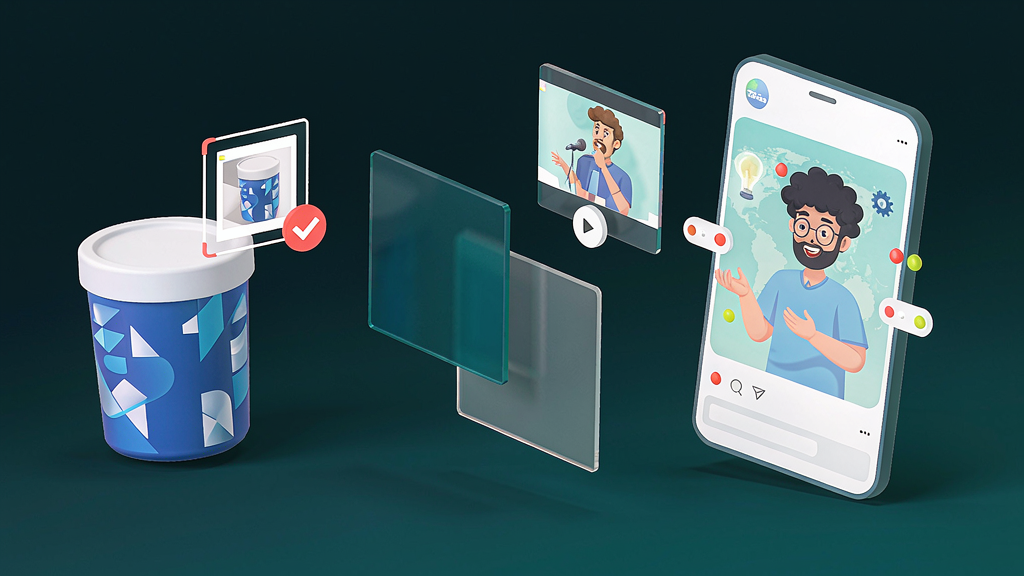
How to Generate Social Media Product Intro Videos That Convert
Ship teach-first short videos by locking a job line, a five-beat board, and stills before any motion render. This how-to is written for e-commerce brands who need consistent Reels/Shorts without a film crew—or daily face-time. Follow the steps, then adapt the worked example to your offer.
What “convert” means for a product intro
Define the outcome before you write a hook:
- Awareness convert: viewer can name the product category job (“this removes X friction”).
- Consideration convert: viewer understands one differentiator vs vague alternatives.
- Action convert: viewer taps profile, saves, or clicks a link-in-bio for a trial/sample.
Pick one. A 30–45s intro that tries to close a high-ticket sale usually underperforms a crisp teach clip that earns the click.
Step 1 — Write a one-line product job
Template: For [who], this product [does job] so they can [outcome] without [pain].
Examples:
- For remote teams, this stand mounts any laptop so cameras sit at eye level without a full desk rebuild.
- For new parents, this bottle warmer hits a safe temp in minutes so midnight feeds stay calm.
If two teammates write different job lines, stop. The intro has no spine yet.
Step 2 — Collect real product assets
Use shipping-accurate materials:
- Front/back pack shots on clean background
- In-hand scale reference (honest, not stretched)
- One UI screenshot or insert card if digital
- Logo file with clear safe margins
Avoid inventing buttons, ingredients, or certifications in generated frames. Social trust dies when packaging details look “almost right.”
Step 3 — Storyboard five beats (not a feature dump)
A reliable intro spine for 35–50 seconds:
- Hook (0–3s): name the pain or surprising clarity
- Promise (3–8s): the one job line
- Show (8–28s): 2–3 visual proofs with real product
- Recap (28–38s): same words as the promise
- CTA (38–45s): one soft next step
Per beat, write: what’s on screen, camera move (one), spoken line, must-show / must-avoid.
Step 4 — Approve still frames before motion
Whether you film, edit motion graphics, or use AI image-to-video:
- Generate or shoot start/end stills for each beat
- Pause and QA: packaging readable? hands/props sane? brand colors intact?
- Only then render motion or cut live footage
Teams that skip still approval burn budget on regenerations that never fix a vague brief.
Platform-specific tweaks (same storyboard)
Instagram Reels: stronger on-screen text; cover still must read at stamp size; CTA can be “save this for your next launch.” TikTok: faster hook; native sound optional under VO; avoid over-polished corporate VO cadence. YouTube Shorts: clearer keyword phrasing in spoken promise for search; end screen can tease a long-form companion. Paid social cutdown: strip recap; keep hook + one proof + CTA under 20s.
Example promise lines you can steal structurally
- “Stop guessing bottle size—see the fit in 20 seconds.”
- “One switch that cuts meeting glare without a new lamp.”
- “What the label doesn’t say about refill timing.”
Each implies a visual demo. If you can’t show it, rewrite the promise.
Ship checklist
- One job line only
- Must-show refs attached
- Stills approved by named owner
- Captions match on-screen nouns
- Safe zones clear on a real phone
- Single CTA
- Disclosure added if photoreal synthetic people appear
- Verification date recorded
Operating system (use on every episode)
- Write one job line (viewer outcome in one sentence)
- Draft five to seven beats with spoken lines ≤18 words each
- Attach must-show references (Shipping-accurate pack shot with readable label)
- Generate or shoot stills; QA before motion
- Render once the contact sheet is locked
- Caption for muted autoplay; single CTA
- Log verification date + what you will change next
Default job line pattern: Show the one pack detail that prevents returns.
Worked example (E-commerce brand)
Job line: Show the one pack detail that prevents returns
Beat sheet (45–55s):
| Beat | On-screen | Spoken intent |
|---|---|---|
| Hook | Broken artifact or costly belief | Name the pain in one breath |
| Promise | Job line card | State the one outcome |
| Proof A | Shipping-accurate pack shot with readable label | Show the method |
| Proof B | Contrast / edge case | Prevent the usual failure |
| Recap | Three-step card | Repeat the promise in fewer words |
| CTA | End card | One next step (save, checklist, trial) |
Still QA (reject if): unreadable labels, invented UI, warped product geometry, extra logos, or claims legal did not approve.
Anti-patterns to ban
- Regenerating motion to fix a vague brief
- Measuring success only as “videos made”
- Clickbait hooks you cannot pay off in-frame
- Invented packaging, UI, or testimonials
- Six CTAs in one short
- Skipping still QA because “the model is better now”
FAQ
Do I need to be on camera? No. Product-led, illustrated, or diagram modes work if the teach spine is clear.
How long should a Reel be? Often 35–55s for one job. Split into a series rather than stuffing two jobs.
When do I render motion? Only after stills are locked in writing (beat-ID comments).
Related reading on Scro
- How to Generate Lifestyle Product Videos While Keeping Packaging Accurate
- How to Create Objection-Handling Videos for Sales Enablement
- How to Create Software Feature Launch Videos in Vertical Format
- How to Create Unboxing-Style Product Explainers That Stay Honest
Soft close — storyboard-first workflow
Prefer concept → storyboard → approve stills → render over prompt-and-pray generation. If you want that loop productized, try Scro. The operating rules above still apply with any stack that lets you lock beats before motion credits burn.