
Canva Video vs Dedicated AI Explainer Platforms for Brands
Choose tools by the job, not the demo reel. For teaching explainers, prefer workflows that lock beats and stills before motion; for cinematic plates or…
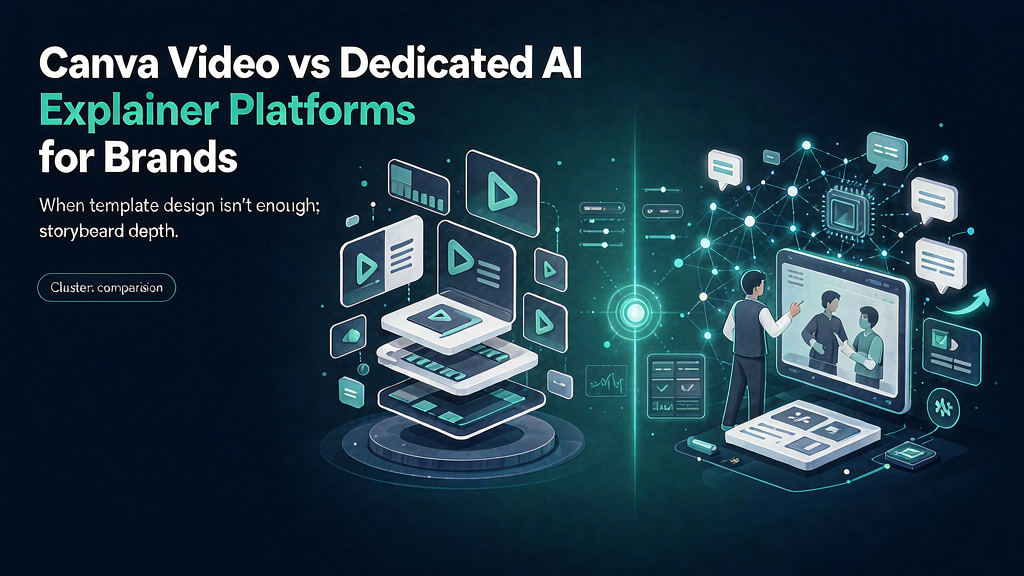
Canva Video vs Dedicated AI Explainer Platforms for Brands
Choose tools by the job, not the demo reel. For teaching explainers, prefer workflows that lock beats and stills before motion; for cinematic plates or timeline assembly, different tools win. This comparison gives a decision matrix, honest tradeoffs, and a hybrid stack pattern for ai production team work.
Judge vendors with a six-beat teach pilot that includes real references—not a cinema trailer. The sections below separate strengths, failure modes, and a stack pattern you can defend to finance.
What Canva Video is great at
- Brand-kit consistency for social teams
- Template speed for announcements and simple explainers
- Cross-functional accessibility (PMM, HR, founders)
- Static + video in one design system
- Lightweight animation without a motion vendor
For many SMB brands, Canva covers 70% of “we need a post that moves.”
Where Canva Video strains
- Complex multi-beat pedagogy with still approval workflows
- Generating coherent AI motion worlds episode after episode
- Heavy product-reference pipelines at scale
- Agency-grade client review on keyframes before render credits
- Treating every feature launch like a design file rather than a director brief
Canva can illustrate an explainer; it does not fully replace a storyboard-first generation loop.
Dedicated AI explainer platforms: what “dedicated” means
Look for:
- Concept/brief intake
- Beat-level guidelines
- Keyframe still generation + approval
- Motion render after approval
- Series/campaign continuity
Scro is one example optimized for explainer Reels rather than general design. Avatar platforms are dedicated to presenters. Cinematic gen tools are dedicated to shot synthesis. Do not conflate them—but all differ from Canva’s template canvas.
Brand operating guidance
Stay Canva-first when: volume of simple branded social exceeds need for generative motion; team is design-led; accuracy risk is low.
Add explainer AI when: you ship weekly product education; stakeholders need still gates; you want consistent hosts/worlds without rebuilding templates each time.
Avoid: buying five AI video seats while nobody owns the job-line brief. Canva chaos and AI chaos share a root cause—no pedagogy owner.
Field notes and iteration
Revisit this playbook after you ship three related pieces. Keep a simple changelog: what the job line was, what proof frames you used, what the retention graph showed, and what you will change next time. Teams that write field notes compound quality faster than teams that chase new tools.
Also schedule a quarterly cleanup: unpublish or rebuild any explainer whose UI, pricing, or claims drifted. Rotten educational content is worse than no content because it trains distrust. Assign an owner and a verification date on every master board related to Canva video vs AI explainer platforms.
Finally, align sales, success, and marketing on the same examples. When talk tracks and Reels diverge, buyers notice. Put the approved storyboard link in the CRM campaign and enablement folder so humans and algorithms teach the same thing.
Practical examples you can steal
Example A — SaaS activation: job line “Create first dashboard without waiting on data engineering”; proofs = CSV import → chart → share link; CTA = checklist. Example B — Coaching framework: job line “Run a 15-minute weekly review”; proofs = wrong scattered notes vs right three-question template; CTA = save the template. Example C — E-commerce education: job line “Choose the right size without returns”; proofs = measure guide → fit check → pack shot; CTA = size chart.
Each example maps to the same spine: hook, promise, proof, recap, CTA. Swap nouns; keep structure. When teams improvise structure every time, word count rises but clarity falls—ironically making articles and videos longer without teaching more.
Distribution checklist after publish
- Native captions burned or platform captions verified
- First comment with resource link
- Embed on matching site/doc page
- CRM/enablement folder updated
- UTM or unique bio link for the episode
- 24h reply window staffed
- Metrics logged on day 3 and day 7
Decision matrix
| If your priority is… | Prefer | Avoid as system of record |
|---|---|---|
| Teach fidelity + product accuracy | Storyboard-first + still gates | Blind full-video regen loops |
| Fast talking-head localization | Avatar presenter tools | Using avatars as fake customers |
| Cinematic B-roll / mood | Generative cinema tools | Teaching UI from invented frames |
| Captions + timeline polish | Editor (CapCut/Descript-class) | Expecting the editor to invent proofs |
| Stock narrative assembly | Script-to-stock assemblers | Pack-shot truth from stock alone |
Hybrid that usually wins: storyboard-first for flagship teach episodes; cinema/editor tools for plates and packaging.
Ship checklist
- One job line only
- Must-show refs attached
- Stills approved by named owner
- Captions match on-screen nouns
- Safe zones clear on a real phone
- Single CTA
- Disclosure added if photoreal synthetic people appear
- Verification date recorded
Operating system (use on every episode)
- Write one job line (viewer outcome in one sentence)
- Draft five to seven beats with spoken lines ≤18 words each
- Attach must-show references (Contact sheet + must-avoid list)
- Generate or shoot stills; QA before motion
- Render once the contact sheet is locked
- Caption for muted autoplay; single CTA
- Log verification date + what you will change next
Default job line pattern: Approve stills before burning motion credits.
Worked example (AI production team)
Job line: Approve stills before burning motion credits
Beat sheet (45–55s):
| Beat | On-screen | Spoken intent |
|---|---|---|
| Hook | Broken artifact or costly belief | Name the pain in one breath |
| Promise | Job line card | State the one outcome |
| Proof A | Contact sheet + must-avoid list | Show the method |
| Proof B | Contrast / edge case | Prevent the usual failure |
| Recap | Three-step card | Repeat the promise in fewer words |
| CTA | End card | One next step (save, checklist, trial) |
Still QA (reject if): unreadable labels, invented UI, warped product geometry, extra logos, or claims legal did not approve.
Anti-patterns to ban
- Regenerating motion to fix a vague brief
- Measuring success only as “videos made”
- Clickbait hooks you cannot pay off in-frame
- Invented packaging, UI, or testimonials
- Six CTAs in one short
- Skipping still QA because “the model is better now”
FAQ
Is there a single best tool? No. Pick by job: teach fidelity vs cinema vs assembly vs editing.
Can we hybridize? Yes—boards for teach spines; cinema for plates; editors for captions.
What should finance track? Cost per approved explainer and correction incidents—not generations alone.
Related reading on Scro
- Open-Source AI Video Stack vs Managed Explainer Platforms
- Adobe Firefly Video vs Specialized Explainer AI: Marketing Use Cases
- Best AI Explainer Video Tools for Marketing Teams in 2026
- AI Video Tools Comparison for Marketing: Runway, Pika, Kling, and Storyboard Platforms
Soft close — storyboard-first workflow
Prefer concept → storyboard → approve stills → render over prompt-and-pray generation. If you want that loop productized, try Scro. The operating rules above still apply with any stack that lets you lock beats before motion credits burn.