
Aspect Ratio and Safe Zone Checklist for Multi-Platform Explainers
To ensure that your explainer videos and Reels look great and are easily viewable across multiple platforms, you need to consider the aspect ratio and…
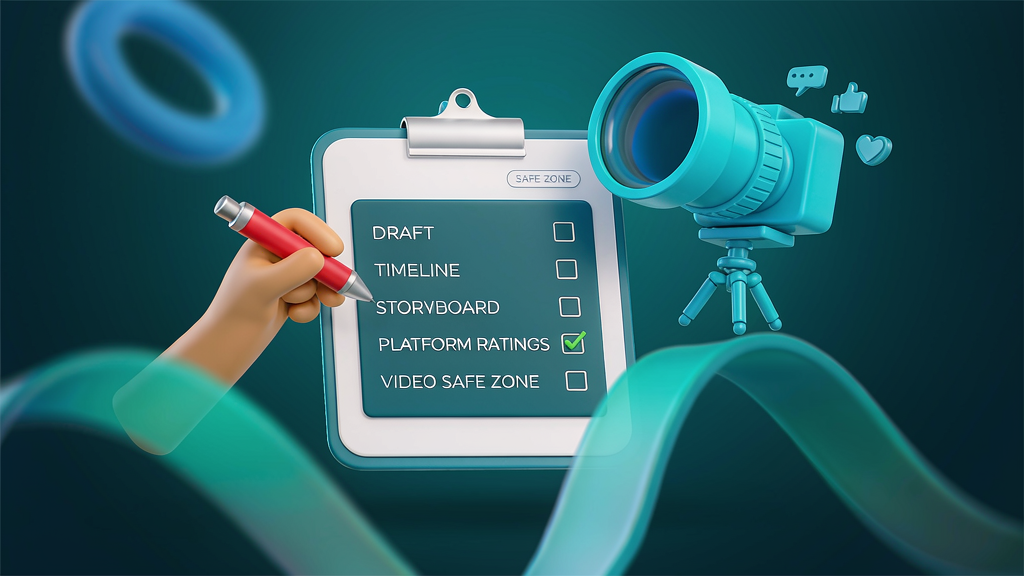
Aspect Ratio and Safe Zone Checklist for Multi-Platform Explainers To ensure that your explainer videos and Reels look great and are easily viewable across multiple platforms, you need to consider the aspect ratio and safe zone. This involves planning your video content to fit within the 9:16, 1:1, or 16:9 aspect ratios, while also accounting for platform-specific UI chrome that may overlap with your video. By using a checklist, you can ensure that your videos are optimized for various platforms, including social media, websites, and mobile devices.
What Makes a Good Aspect Ratio and Safe Zone Strategy? A good strategy for aspect ratio and safe zone planning involves understanding the different platforms where your video will be viewed and designing your content to fit within the available space. This includes considering the size and placement of text, logos, and other visual elements to ensure they are not cut off or obscured by platform UI elements.
Who Needs an Aspect Ratio and Safe Zone Checklist? This checklist is designed for: Product marketing and content teams creating short teach videos and explainer Reels Founders and entrepreneurs who need to explain complex workflows and concepts without a film crew Agencies working with clients to create high-quality, brand-safe video content Anyone using AI-assisted video editing tools who needs to ensure their final product is clear, concise, and visually appealing
Why Use a Checklist for Aspect Ratio and Safe Zone Planning? A checklist helps to create a shared language and understanding across teams, from brief to storyboard to edit and publish. It reduces the risk of expensive regenerations due to missing decisions or unclear requirements. By following a checklist, you can ensure that your video content meets the necessary standards for aspect ratio and safe zone planning, saving time and resources in the long run.
Quick-Start Guide to Aspect Ratio and Safe Zone Planning To get started with aspect ratio and safe zone planning, follow these steps: 1. Define the job-to-be-done: Write a one-sentence summary of what the viewer should understand or do after watching the video. 2. Lock the audience assumption: Note what the audience already knows and what they need to learn from the video. 3. Choose the format spine: Decide on the primary format for the video, such as a Reel, Short, landing page embed, or carousel-derived video. 4. Draft the promise line: Write a one-line summary of the outcome promised by the video, without using hype or adjectives. 5. Map proof beats: List 2-5 concrete visuals or steps that prove the promise, such as objects, UI elements, or diagrams.
The Aspect Ratio and Safe Zone Checklist Here is a detailed checklist to help you plan and optimize your video content for aspect ratio and safe zone: ### 1. Define the Job-to-Be-Done [ ] Write a one-sentence summary of what the viewer should understand or do after watching the video. [ ] Verify that the sentence is clear and concise, and that it aligns with the video's purpose.
2. Lock the Audience Assumption [ ] Note what the audience already knows about the topic. [ ] Identify what the audience needs to learn from the video. * [ ] Verify that the assumptions are accurate and aligned with the video's purpose.
3. Choose the Format Spine [ ] Decide on the primary format for the video (Reel, Short, landing page embed, carousel-derived video). [ ] Verify that the format aligns with the video's purpose and audience assumptions.
4. Draft the Promise Line [ ] Write a one-line summary of the outcome promised by the video. [ ] Verify that the promise line is clear, concise, and free of hype or adjectives.
5. Map Proof Beats [ ] List 2-5 concrete visuals or steps that prove the promise. [ ] Verify that the proof beats are accurate, relevant, and aligned with the video's purpose.
6. Plan for Aspect Ratio and Safe Zone [ ] Decide on the aspect ratio for the video (9:16, 1:1, 16:9). [ ] Plan the safe zone to ensure that text, logos, and other visual elements are not cut off or obscured by platform UI elements. * [ ] Verify that the aspect ratio and safe zone planning align with the video's purpose and audience assumptions.
7. Attach Brand Kit Constraints [ ] Ensure that the video adheres to the brand's visual identity guidelines. [ ] Verify that the brand kit constraints are accurate and up-to-date.
Comparison of Aspect Ratios and Safe Zones | Aspect Ratio | Safe Zone | Platform | | --- | --- | --- | | 9:16 | Top and bottom 10% | Instagram Reels, TikTok | | 1:1 | Top and bottom 5% | Instagram Feed, Facebook | | 16:9 | Top and bottom 5% | YouTube, Vimeo, websites |
Worked Example: Creating a Reel for Instagram Let's say we want to create a Reel for Instagram that explains how to use a new feature in a mobile app. We follow the checklist: Define the job-to-be-done: "After watching this video, the viewer will understand how to use the new feature to save time and increase productivity." Lock the audience assumption: "The audience is already familiar with the app, but needs to learn how to use the new feature." Choose the format spine: "Reel" Draft the promise line: "Learn how to use the new feature in 60 seconds." Map proof beats: "Step 1: Open the app, Step 2: Navigate to the new feature, Step 3: Use the feature to complete a task." Plan for aspect ratio and safe zone: "9:16 aspect ratio, with a safe zone that ensures the text and logos are not cut off by the Instagram Reels UI." * Attach brand kit constraints: "Ensure that the video adheres to the app's visual identity guidelines."
By following the checklist and considering the aspect ratio and safe zone, we can create a high-quality Reel that effectively communicates the information to the audience and looks great on the Instagram platform.
Ship Checklist Before rendering the final video, review the following checklist to ensure that everything is complete and accurate: [ ] Job-to-be-done is defined and clear [ ] Audience assumption is locked and accurate [ ] Format spine is chosen and aligned with the video's purpose [ ] Promise line is drafted and free of hype or adjectives [ ] Proof beats are mapped and accurate [ ] Aspect ratio and safe zone are planned and aligned with the video's purpose * [ ] Brand kit constraints are attached and accurate
By using this checklist and considering the aspect ratio and safe zone, you can ensure that your explainer videos and Reels are optimized for multiple platforms, look great, and effectively communicate the information to your audience.
Related reading on Scro
- Audio Loudness Checklist for Multi-Platform Explainer Distribution
- Character Consistency Checklist for Multi-Clip AI Explainers
- High-Realism AI Images Checklist for Brand-Safe Marketing Explainers
- AI Video Prompt Guide for Realistic Marketing Explainers (Brand-Safe)
Soft close — storyboard-first workflow
Prefer concept → storyboard → approve stills → render over prompt-and-pray generation. If you want that loop productized, try Scro. The operating rules above still apply with any stack that lets you lock beats before motion credits burn.