
Whiteboard doodle vs flat vector vs claymation: picking an explainer style for Reels
Match explainer style to the message. When whiteboard doodle, flat vector, or claymation fits Reels—and how to keep a series visually coherent.
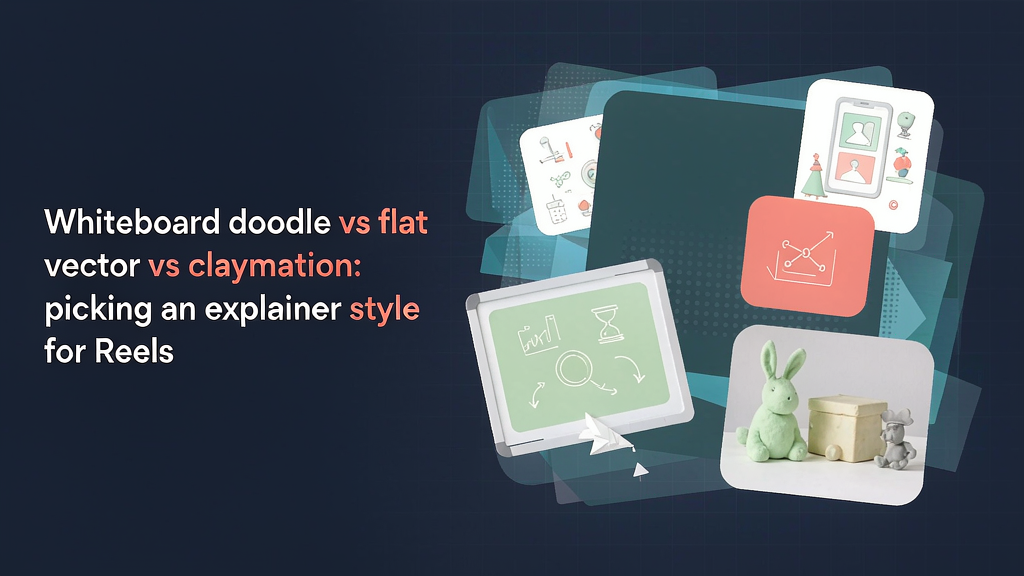
Whiteboard doodle vs flat vector vs claymation: picking an explainer style for Reels
Pick the explainer style that matches the message, not the trend. Whiteboard doodle, flat vector, and claymation each teach differently on Reels—and the wrong style makes a clear idea feel either childish or cold.
Content marketers usually decide style after the script. Flip that: choose style when you lock the promise, so every scene’s must-show nouns fit the look you can actually sustain across a series.
Quick comparison
| Style | Feels like | Best for | Watch-outs |
|---|---|---|---|
| Whiteboard doodle | Live teaching, process thinking | Frameworks, step lists, “how I think” | Messy boards; hard to brand tightly |
| Flat vector | Clean product UI, SaaS clarity | Feature explainers, flows, pricing logic | Can feel generic if metaphors are weak |
| Claymation / soft 3D | Playful craft, memorable metaphors | Brand stories, abstract concepts, hooks | Longer art direction; easy to over-decorate |
None is universally “best.” Fit the style to what the viewer must remember after one scroll-stop.
When whiteboard doodle wins
Use whiteboard when the Reel’s job is to externalize thinking:
- Teaching a framework (2×2, funnel, checklist)
- Showing “wrong path vs right path”
- Coaching or education where handwriting signals presence
- Early-stage ideas where polish would feel fake
Scene design tips
- One diagram per scene; erase or wipe between ideas
- Hand or marker as the only moving “character”
- High-contrast marker colors; avoid pastel-on-pastel
- Keep on-screen labels ≤6 words
Avoid whiteboard when
- You need precise UI fidelity
- Brand guidelines forbid sketch aesthetics
- The lesson depends on realistic product screens
Whiteboard pairs well with coaches turning outlines into teach Reels—see how coaches repurpose course outlines into scroll-stopping teach Reels.
When flat vector wins
Use flat vector when the Reel’s job is to clarify a system:
- SaaS feature announce
- Onboarding flows
- Before/after process maps
- Pricing or permission models
Scene design tips
- Limit the palette to brand + one accent
- Prefer icons and simple characters over detailed faces
- Show one state change per scene (empty → filled, blocked → allowed)
- Align shapes to a grid so crops stay clean in 9:16
Avoid flat vector when
- You need emotional warmth as the primary hook
- The concept is highly abstract and needs a tactile metaphor
- Stakeholders expect “handmade” authenticity
Flat vector is the default for many product education Reels that sit at the center of explainer Reels as personal IP and product education.
When claymation (or soft 3D) wins
Use claymation / soft clay-like 3D when the Reel’s job is to make an abstract idea sticky:
- Brand origin or values stories
- Metaphors (credit burn as melting tokens, attention as clay blobs)
- Hooks that need a memorable object the viewer can recall later
- Series mascots that return weekly
Scene design tips
- One hero object per scene
- Soft lighting; avoid noisy textures that shimmer in motion
- Limit character locomotion; prefer squash/stretch and simple turns
- Keep backgrounds simple so the clay subject reads at phone size
Avoid claymation when
- Legal/compliance copy must stay literal and dry
- You need pixel-perfect UI
- Turnaround is same-day and art direction is not locked
Claymation wastes credits fastest when style is explored after a full render. Lock the hero object in stills first—the same storyboard-first discipline described in what storyboard-first AI video production is.
Decision tree (message → style)
- Does the viewer need to see a real UI or data shape? → Flat vector
- Does the viewer need to follow a thinking process? → Whiteboard
- Does the viewer need to remember a metaphor or brand object? → Claymation
- Mixed? Prefer one primary style and borrow one prop from another (e.g. flat UI with a single clay mascot), not a full mashup.
Mixing all three in one 45-second Reel usually reads as indecision, not creativity.
Style and credit cost (practical, not priced)
Relative patterns teams observe:
- Whiteboard: fast to board; regenerations cheap if diagrams stay simple
- Flat vector: medium; style drift across scenes is the expensive failure
- Claymation: highest art-direction cost; protect credits with approved stills and a short gesture vocabulary
Style drift—scene one clay, scene three flat—is one of the common storyboard mistakes that waste AI video credits. Put the style name in the storyboard header so reviewers catch drift before render.
Series consistency checklist
- Primary style named for the series
- Palette and line weight locked
- Allowed secondary prop (if any) listed
- Cover still matches the same style language
- Forbidden styles listed for freelancers
Generate cover stills in the same style family so the feed thumbnail matches the video body—see hook thumbnails and cover stills for educational Reels.
Mini examples
Whiteboard: “Three questions before you raise prices” — marker writes Q1–Q3, circles the trap answer. Flat vector: “How permissions cascade in our workspace” — cards unlock in order. Claymation: “Attention is clay—stop stretching it thinner” — blob pulled until it snaps, then reshaped into one focus block.
Pick once, then storyboard
Choose the style when you write the promise line. Then fill scenes with nouns that style can show. If a must-show noun cannot be drawn in that style cleanly, either change the noun or change the style—before you render.
Style libraries that sit next to storyboard and VO review—such as the workflow on Scro—make it easier to keep a series visually coherent, but the decision tree above works with any explainer tool that lets you approve frames first.