
Explainer ChecklistSEO GuideAI Video
10 Places to Check So AI Video Looks Realistic (Not Uncanny)
To ensure AI video looks realistic and not uncanny, it's crucial to focus on key areas that can make or break the viewer's trust. For marketing…
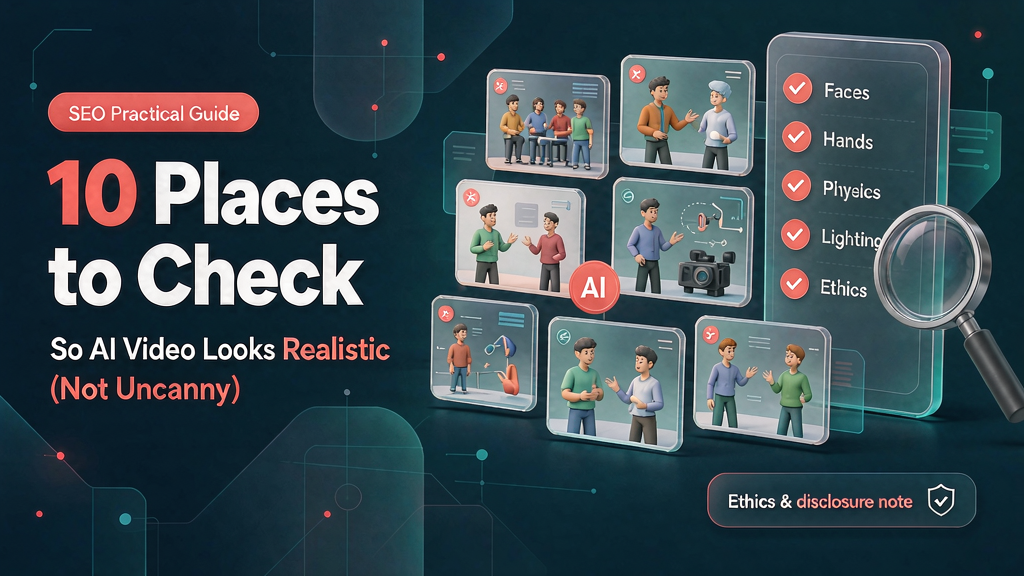
10 Places to Check So AI Video Looks Realistic (Not Uncanny) To ensure AI video looks realistic and not uncanny, it's crucial to focus on key areas that can make or break the viewer's trust. For marketing explainers, realism is about creating a teach moment that viewers can trust, rather than trying to fool them into thinking a synthetic scene is real.
What Makes AI Video Look Uncanny? Uncanny valley often occurs when small details are off, making the entire scene feel synthetic. This can happen when eyes, mouth, hands, skin, hair, lighting, physics, and clothing are not properly rendered.
How to Check for Realism in AI Video To avoid the uncanny valley, marketing teams should check the following areas: Eyes and gaze: Are the eyes looking at a sensible target, and are the blinks natural? Mouth and speech coupling: Does the mouth motion track the emphasis of the speech, or is it random? Hands and fingers: Are the fingers and joints plausible, and is the grip contact with props believable? Skin, hair, and micro-texture: Is the texture variation natural, and does the hair look realistic? Lighting direction and shadows: Is the key light direction consistent, and are the contact shadows and highlights natural? Physics and object permanence: Do objects keep their identity, and do gravity and collisions obey the world's rules? * Clothing, logos, and brand marks: Are brand marks sharp and correctly proportioned, and is clothing rendered naturally?
Checklists for Realism Here are some checklists to ensure realism in AI video: - [ ] Eyes look at a sensible target - [ ] Blink rate is natural - [ ] Mouth motion tracks emphasis - [ ] Fingers and joints are plausible - [ ] Grip contact with props is believable - [ ] Texture variation is natural - [ ] Hair looks realistic - [ ] Key light direction is consistent - [ ] Contact shadows and highlights are natural - [ ] Objects keep their identity - [ ] Gravity and collisions obey the world's rules - [ ] Brand marks are sharp and correctly proportioned - [ ] Clothing is rendered naturally
Comparison of Realistic and Uncanny AI Video The following table compares realistic and uncanny AI video: | Area | Realistic | Uncanny | | --- | --- | --- | | Eyes | Look at a sensible target, natural blink rate | Dead stare, mismatched focus | | Mouth | Motion tracks emphasis | Random mumble | | Hands | Fingers and joints plausible, grip contact believable | Extra fingers, melted grips, props floating through palms | | Skin | Natural texture variation | Over-smoothed or plastic | | Hair | Realistic strands | Flickering or dissolving | | Lighting | Consistent key light direction, natural shadows | Mixed light directions, teleporting highlights | | Physics | Objects keep identity, gravity and collisions obey rules | Cups refill, logos drift, chairs clip through desks | | Clothing | Brand marks sharp and correctly proportioned, natural rendering | Warped logos, unnatural clothing |
Decision Table for Realism in AI Video The following decision table can help determine whether an AI video is realistic or not: | Area | Criteria | Realistic | Uncanny | | --- | --- | --- | --- | | Eyes | Blink rate | 10-20 blinks per minute | Less than 5 blinks per minute or more than 30 blinks per minute | | Mouth | Speech coupling | Mouth motion tracks emphasis | Random mouth motion | | Hands | Finger plausibility | Fingers and joints are plausible | Extra fingers or melted grips | | Skin | Texture variation | Natural texture variation | Over-smoothed or plastic | | Hair | Strand realism | Realistic strands | Flickering or dissolving | | Lighting | Key light direction | Consistent key light direction | Mixed light directions | | Physics | Object permanence | Objects keep their identity | Cups refill or logos drift | | Clothing | Brand mark rendering | Brand marks sharp and correctly proportioned | Warped logos or unnatural clothing |
Worked Example: Creating a Realistic AI Video Let's say we're creating an explainer video for a new product. We want to show the product in a realistic environment, with a human presenter. To avoid the uncanny valley, we'll focus on the areas mentioned earlier. We'll make sure the presenter's eyes are looking at a sensible target, the mouth motion tracks the emphasis of the speech, and the hands and fingers are plausible. We'll also ensure the skin and hair are rendered naturally, and the lighting is consistent. By checking these areas, we can create a realistic AI video that engages the viewer and builds trust.
Second Worked Example: Creating a Realistic AI Video for a Complex Product Let's say we're creating an explainer video for a complex product, such as a medical device. We want to show the product in a realistic environment, with a human presenter, and also include animations and graphics to illustrate how the product works. To avoid the uncanny valley, we'll focus on the areas mentioned earlier, and also ensure that the animations and graphics are realistic and consistent with the rest of the video. We'll make sure the presenter's eyes are looking at a sensible target, the mouth motion tracks the emphasis of the speech, and the hands and fingers are plausible. We'll also ensure the skin and hair are rendered naturally, and the lighting is consistent. Additionally, we'll check that the animations and graphics are smooth and natural-looking, and that they don't distract from the rest of the video. By checking these areas, we can create a realistic AI video that engages the viewer and builds trust.
Failure Modes and Fixes The following are some common failure modes and fixes for AI video: Failure mode: Uncanny eyes Fix: Check that the eyes are looking at a sensible target, and that the blink rate is natural. Adjust the eye animation to make it more realistic. Failure mode: Unnatural mouth motion Fix: Check that the mouth motion tracks the emphasis of the speech. Adjust the mouth animation to make it more realistic. Failure mode: Unbelievable hands and fingers Fix: Check that the fingers and joints are plausible, and that the grip contact with props is believable. Adjust the hand animation to make it more realistic. Failure mode: Unnatural skin and hair Fix: Check that the texture variation is natural, and that the hair looks realistic. Adjust the skin and hair rendering to make it more realistic. Failure mode: Inconsistent lighting Fix: Check that the key light direction is consistent, and that the contact shadows and highlights are natural. Adjust the lighting to make it more realistic. Failure mode: Unnatural physics Fix: Check that objects keep their identity, and that gravity and collisions obey the world's rules. Adjust the physics simulation to make it more realistic. Failure mode: Unnatural clothing and brand marks Fix: Check that the brand marks are sharp and correctly proportioned, and that the clothing is rendered naturally. Adjust the clothing and brand mark rendering to make it more realistic.
Ship Checklist for Realistic AI Video Before shipping the AI video, make sure to check the following: 1. Eyes and gaze: Are the eyes looking at a sensible target, and are the blinks natural? 2. Mouth and speech coupling: Does the mouth motion track the emphasis of the speech, or is it random? 3. Hands and fingers: Are the fingers and joints plausible, and is the grip contact with props believable? 4. Skin, hair, and micro-texture: Is the texture variation natural, and does the hair look realistic? 5. Lighting direction and shadows: Is the key light direction consistent, and are the contact shadows and highlights natural? 6. Physics and object permanence: Do objects keep their identity, and do gravity and collisions obey the world's rules? 7. Clothing, logos, and brand marks: Are brand marks sharp and correctly proportioned, and is clothing rendered naturally? 8. Review the video for any areas that may look uncanny or synthetic. 9. Test the video with a small audience to ensure it looks realistic and engaging. 10. Make any final adjustments to ensure the video meets the realism standards.
Related reading on Scro
- AI Video Prompt Guide for Realistic Marketing Explainers (Brand-Safe)
- Comparing AI Video Models for Short Explainer Clarity (Not Cinema Flex)
- Realistic AI Video for Brands: Lighting, Hands, and Physics That Teach
- Lighting and Shadow Checklist for Less Uncanny AI Video
Soft close — storyboard-first workflow
Prefer concept → storyboard → approve stills → render over prompt-and-pray generation. If you want that loop productized, try Scro. The operating rules above still apply with any stack that lets you lock beats before motion credits burn.